Real time collaboration on documents, spreadsheets and slides
How live co-editing, presence, comments and sharing work across the OfficeBats apps, what each app shares live, and the limits worth knowing.
Working on the same file at the same time used to mean "wait until Maya closes it". Real time collaboration changes that: several people open one document, see each other's cursors and selections, and every change appears for everyone within moments. No version suffixes, no merging copies by hand.
Every OfficeBats app now supports live co-editing, presence, comments and sharing: PDFbat, DocsBat, FormsBat, BooksBat, Buildan.app, SlidesBat and SheetsBat. This guide explains what that means in practice, what each app shares live, and the honest limits of each, so you know what to expect before you invite your team.
What you get in every app
Whatever app you are in, live collaboration has the same building blocks.
- Share with people. The Share button invites people by email or OfficeBats username with a role: Can view, Can comment or Can edit. Because the apps share one OfficeBats account, you can invite anyone who has one.
- A share link. In most apps the owner can turn on a link that lets anyone who has it open the document as a viewer, commenter or editor, and turn it off again at any time. BooksBat is the exception: your books are shared with your team only.
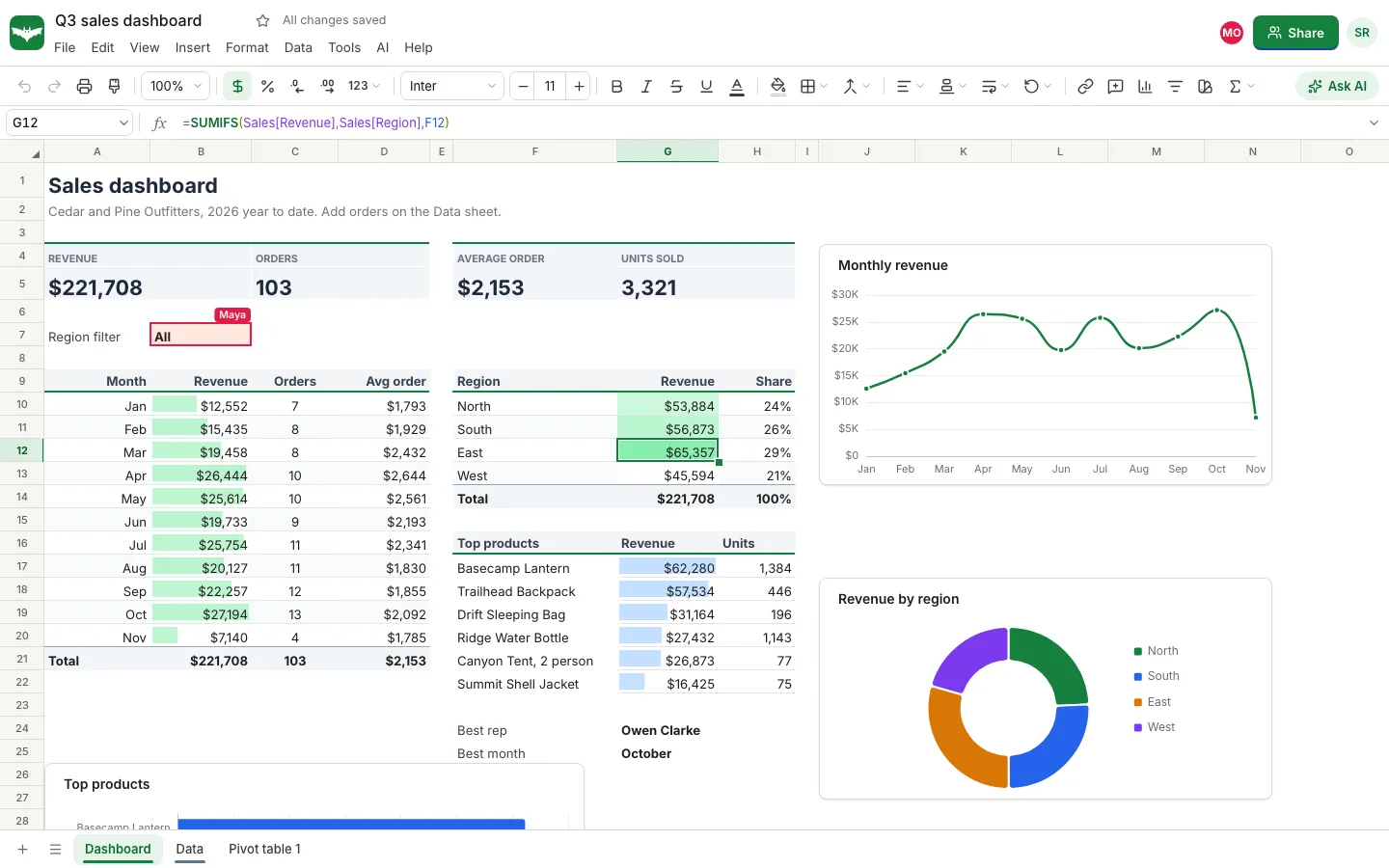
- Presence. Avatars of everyone in the document appear in the top bar, and each person's position is shown in their own colour: a caret in a document, a selected cell in a sheet, an outlined box on a slide.
- Live changes. Edits appear for everyone as they happen, and work you do while briefly offline is sent when the connection comes back.
- Per person undo. Undo takes back your own changes, not someone else's.
- Comments. Threads attached to the exact place they are about, with replies and resolve.
- Notifications. A bell (or a notice) tells you when someone shares a document with you, mentions you or replies to you.
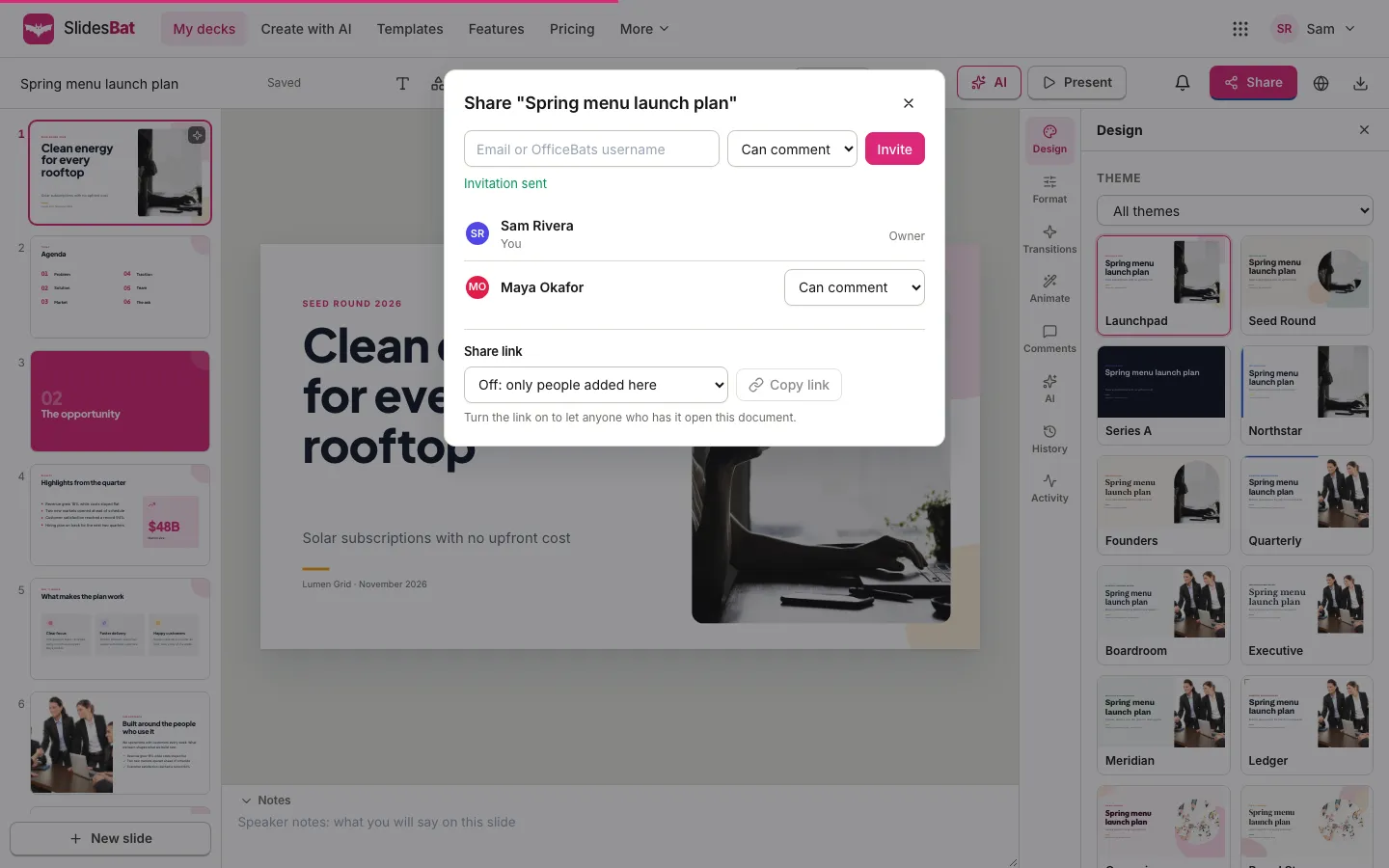
Roles: who can do what
| Can view | Can comment | Can edit | Owner | |
|---|---|---|---|---|
| See live changes and who is here | Yes | Yes | Yes | Yes |
| Edit the document | No | No | Yes | Yes |
| Add, reply to and resolve comments | No | Yes | Yes | Yes |
| Invite people and change roles | No | No | Yes | Yes |
| Turn the share link on or off | No | No | No | Yes |
Access changes take effect immediately. If you remove someone or lower their role, their open session in that document updates at once; there is no waiting for them to reload.
How each app collaborates
The building blocks are shared, but each app shares the parts that make sense for its kind of document.
DocsBat: Word documents
A Word document from your Drive becomes live when its owner opens it. Two people can type in the same paragraph and their changes merge character by character. Everyone's caret is drawn on the page, and comments are attached to the text you select. The document autosaves back to the .docx file in the owner's Drive a few seconds after the last edit, and anyone who can view it can download it as Word or PDF. Our guide to co-editing a Word document in real time walks through it.
Worth knowing: footnote text and Word comments sync as whole lists, so if two people edit them at the same moment the last change wins, and dragging a block to a new place can drop someone else's simultaneous typing in that block.
SlidesBat: decks, memos and one pagers
You see who is on which slide: avatars in the top bar, initials on the slide thumbnails and selection outlines on the canvas. A box that someone is typing in, dragging or resizing is held for them and outlined in their colour with a label such as "Maya Okafor is typing", so two people never fight over the same box. In memos, two people can type in different places of the page at once.
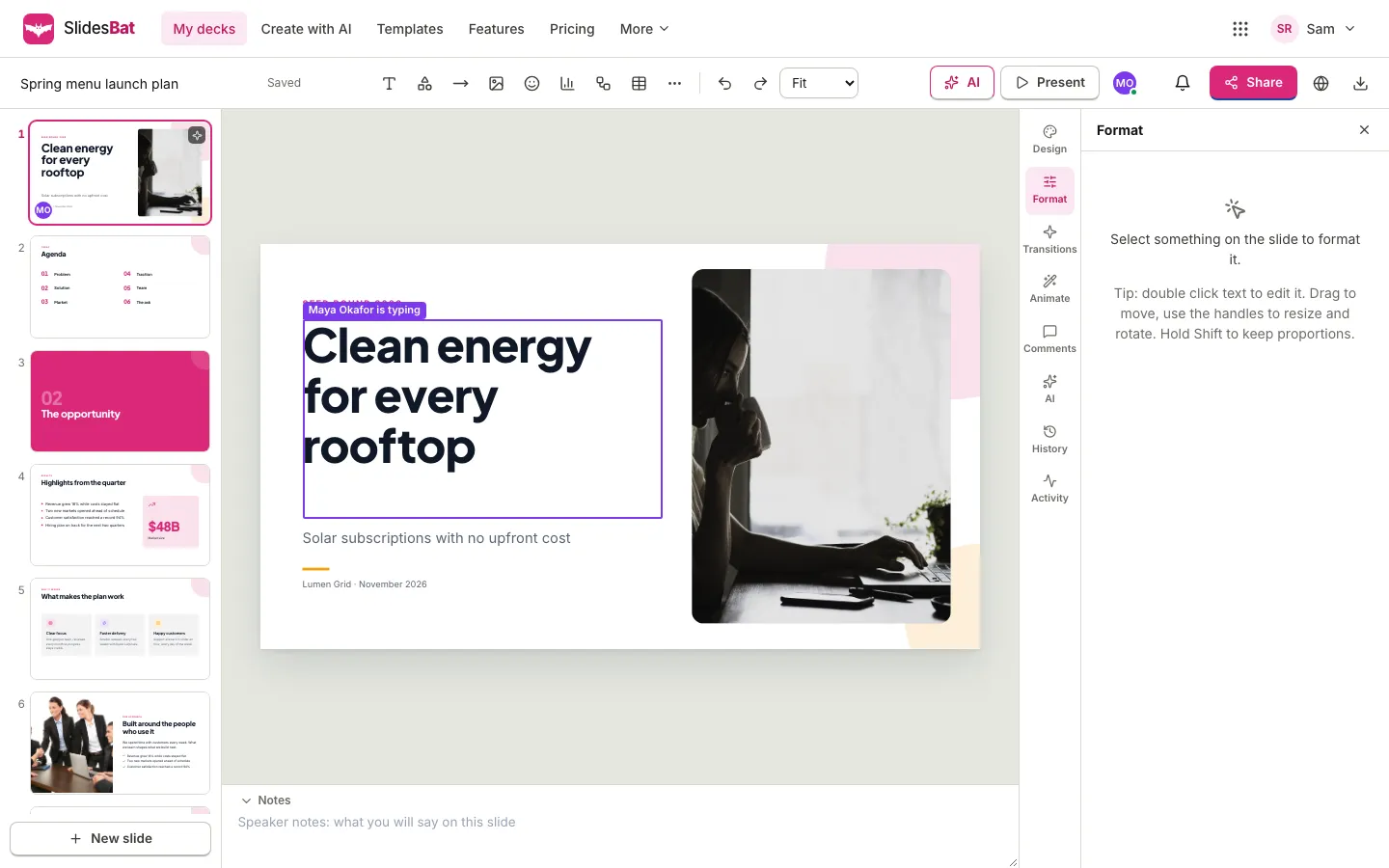
Worth knowing: two people cannot type in the same text box at the same moment; the second waits until the first is done. If one person deletes a slide while another edits it, it is gone for both.
SheetsBat: spreadsheets
SheetsBat has its own sync engine built for spreadsheets. Each person's selected cell is outlined in their colour with their name, formulas recalculate on every screen as inputs change, and inserting rows or columns is combined safely with other people's edits. Comment threads sit on cells, and version history keeps automatic snapshots while you work.
Worth knowing: if two people change the same cell at the same moment, the last change to reach the server wins. SheetsBat comments support replies and resolve but not @mentions yet. The Free plan includes up to 3 collaborators per workbook and Pro up to 100. Our step by step guide to co-editing a spreadsheet in real time covers it in detail.
PDFbat: PDFs
Annotations and form fields are shared live: text you add, highlights, shapes, signatures, notes and redaction boxes, plus the values typed into a PDF form. An item is held for the person who is dragging or typing in it, and a form field is held while someone has it focused. You can see where others are pointing on the page, and comments are attached to an area of a page. The PDF file itself is rewritten only when you save or export.
FormsBat: forms and surveys
Several people can build one form together. The question someone is editing is held for them and shows their colour on its card, so nobody overwrites a half written question. Comments attach to questions, which makes review rounds easy. Responses arrive through the public form as before; they are not edited in the live session.
BooksBat: invoices and records
In BooksBat, sharing means your company team: the share dialog invites people to the team and sets their team role, and there are no share links, because customers receive invoices through Send. Team members are part of Pro (up to 3 users) and Business (up to 25 users); the Free plan is for one user. Invoices, quotes, bills and customers each have their own live session. A field or line someone is editing is held for them, and totals are recalculated on the server so everyone sees exactly the same numbers. List pages refresh when someone else changes a record. Sending invoices and recording payments work as usual and are not part of the live session. Roles map well to accounting work: view for an auditor, comment for a review, edit for a bookkeeper. Read giving your accountant access to your books for a walkthrough.
Buildan.app: websites
In the site editor, people see who is on which page and what they have selected, and the element someone is typing in is held for them. Comments can be attached to an element or to a whole page. When you are mentioned, Buildan.app shows a notice in the editor.
Comments and @mentions
In PDFbat, DocsBat, FormsBat, BooksBat, SlidesBat and Buildan.app, type @ in a comment to mention someone who has access. They get a notification in the app and an email if their account has an address. Our guide on how to @mention someone in a comment shows each step.
Sharing a finished file instead
Live collaboration is for working together. When you just need to send a finished file, such as a signed PDF or an exported spreadsheet, a Drive share link is simpler: it opens in any browser without an account, and you choose when it expires. See how to share a file with a view only link.
What it costs
Live collaboration is included on the Free plan in every app except BooksBat, where inviting a team starts on Pro. Some apps also set limits on how many people can work on one document; SheetsBat, for example, allows 3 collaborators per workbook on Free and 100 on Pro. Pro is $10.99 a month or $109.90 a year and Business is $19 a month or $190 a year, and either plan covers all seven apps. New accounts get a 3 day trial of the whole suite. See pricing for every limit.
Frequently asked questions
Which OfficeBats apps support real time co-editing?
All seven: PDFbat, DocsBat, FormsBat, BooksBat, Buildan.app, SlidesBat and SheetsBat. Each shows who is in the document, syncs changes live and supports comments and sharing.
What happens if two people edit the same thing at once?
It depends on the app. DocsBat merges typing in the same paragraph. SlidesBat, PDFbat, FormsBat, BooksBat and Buildan.app hold an item for the person editing it, so others wait. In SheetsBat the last change to the same cell wins.
Do collaborators need to pay?
No. Anyone with a free OfficeBats account can be invited. What they can do depends on the role you give them and on the owner's plan limits; in BooksBat, for example, adding team members needs Pro or Business on the owner's account.
Can someone without an account view a shared document?
Yes. The owner can turn on a share link, and people who open it get the role the link allows without being added to the document. In SheetsBat, a view link works without an account, while commenting and editing need a free account.
Can I remove someone's access while they are in the document?
Yes. Remove them or change their role in the share dialog. Their open session updates at once, and if they no longer have access the document closes for them.