Small business paperwork, from quote to payment
A practical small business workflow: intake form, proposal, signed contract, quote, invoice and payment, plus a website with a booking form.
Every new client brings paperwork. You need to learn what they want, send a proposal, agree on terms, get a contract signed, send a quote or invoice and get paid. When each step lives in a different place, things slip: a form answer never makes it into the proposal, a contract sits unsigned, an invoice goes out late.
This guide walks through a simple workflow that covers the whole journey with the OfficeBats apps. We will follow a freelance photographer as the example, but the same steps work for a consultant, a contractor or a small agency.
The workflow at a glance
| Step | Job | App |
|---|---|---|
| 1 | Collect client details with an intake form | FormsBat |
| 2 | Write the proposal | DocsBat |
| 3 | Get the contract signed | PDFbat |
| 4 | Send a quote, then an invoice, and get paid | BooksBat |
| 5 | Let new clients find you and book | Buildan.app |
Every Bats app uses one OfficeBats account, so you sign in once and move between them freely.
Step 1: Start with an intake form
A good intake form saves a back and forth email chain. It also means every client gives you the same information, in the same format.
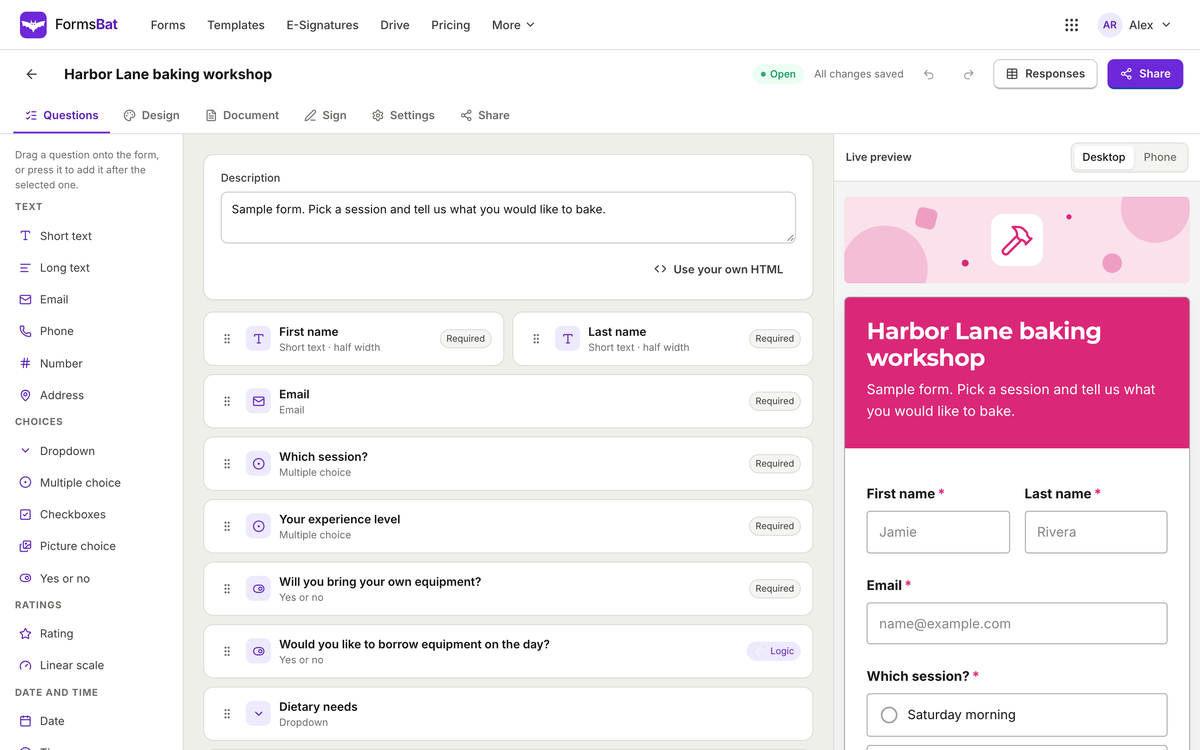
In FormsBat, start from one of the templates or describe the form you want and let AI draft it. For a photographer, useful questions might be:
- Name, email and phone
- Type of shoot (dropdown: wedding, portrait, product, event)
- Preferred date and location (date and address questions)
- Budget range (multiple choice)
- Reference images (file upload)
- Anything else we should know (long text)
Make it smarter with logic
Use logic to show questions only when they matter. If the client picks "wedding", show questions about the ceremony and the number of guests. If they pick "product", show questions about how many items need photos. Shorter forms are easier to finish, and our guide on writing surveys people finish has more tips that apply to intake forms too.
Settings worth turning on
- Owner notification email so you know as soon as a new enquiry arrives.
- Respondent copy so the client has a record of what they sent.
- Spam protection (honeypot, minimum fill time and rate limits are built in, with an optional captcha).
Responses land in a searchable table, and you can export them to CSV or Excel at any time.
Step 2: Write the proposal
Once you know what the client wants, write a proposal. Keep a reusable Word template with your standard sections: overview, what is included, timeline, price and next steps.
Open it in DocsBat, edit it in the browser and fill in the details from the intake form. DocsBat AI can help draft text, such as a short project summary, and you review and edit before sending. When it is ready, export it to PDF so it looks the same on every device. DocsBat keeps your layout, lists, tables, headers and footers when converting.
A tip on templates
FormsBat can also fill a document from each response automatically, using one of its designed layouts or, on Pro, your own Word template with placeholders. If your proposals are mostly standard, this can produce the first draft for you. Our post on forms that create documents shows how.
Step 3: Get the contract signed
When the client agrees to the proposal, send the contract for signature with PDFbat. Upload the contract, add signature, initials, name and date fields, and send it as an envelope.
What makes this smooth:
- Signers need no account. Your client just opens the link and signs.
- Signing order. If both you and the client sign, set the order to sequential or parallel.
- Reminders and expiry. Set reminders so an unsigned contract does not stall, and an expiry date if the offer is time limited.
- Identity checks. For important contracts, require an access code or a six digit code sent by email.
When everyone has signed, PDFbat produces an audit trail with timestamps and IP addresses, a certificate of completion, and a final PDF sealed with a digital signature so later changes can be detected. The signed copy is saved to your Drive "Signed" folder and emailed to everyone.
Electronic signatures are recognized for most business documents under laws like ESIGN in the US and eIDAS in the EU. Some documents, such as certain wills and some court, family or real estate documents, have special rules, so check if you are unsure. Our guide to sending documents for e-signature covers the details.
If you send the same contract often
Save it as a template with roles (for example, "Client" and "Photographer") so you only place the fields once.
Step 4: Quote, invoice and get paid
Now move to BooksBat for the money side.
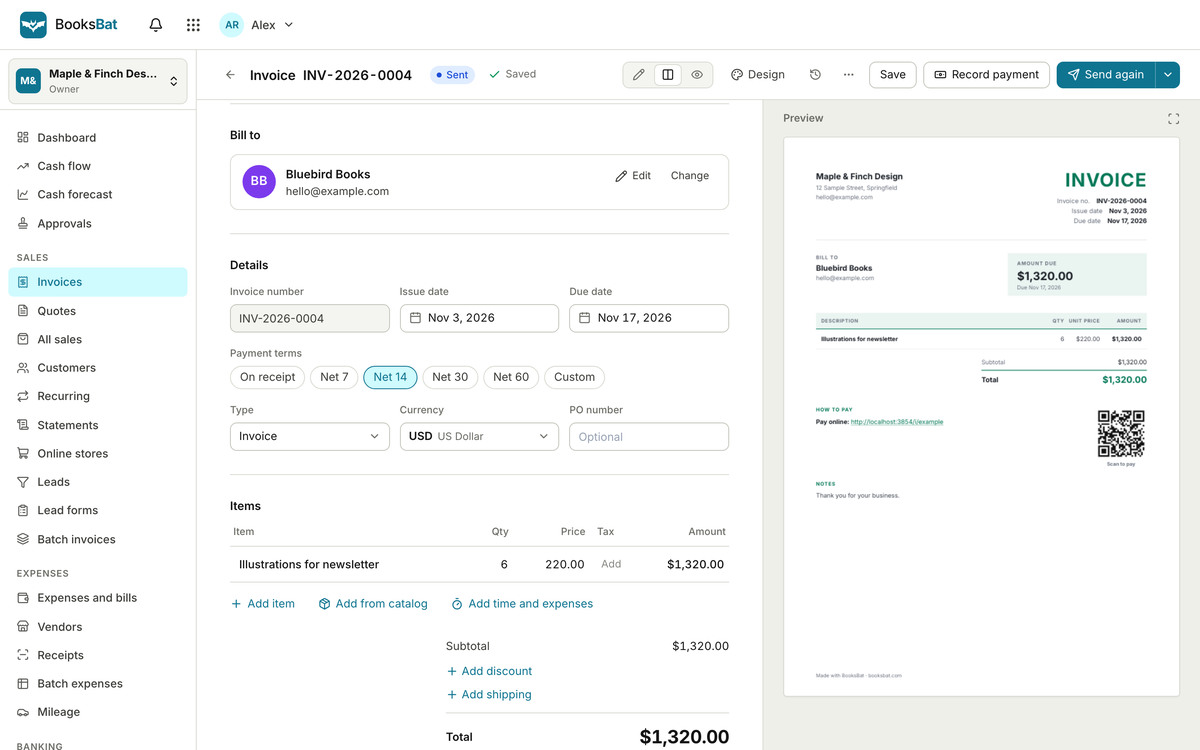
- Send a quote. Create a quote for the agreed work. Your client can accept it online, so you have a clear record of what was agreed.
- Turn it into an invoice. When it is time to bill (a deposit up front, or the full amount after the shoot), create the invoice. Choose from 8 designs and export to PDF or Word if you need a copy.
- Let the client pay online. Connect your own payment account. BooksBat supports Stripe on the Free plan, and Stripe, PayPal, Square, Razorpay, Mollie, GoCardless and Lemon Squeezy on Pro and Business. BooksBat adds no fee by default, and payment fees post to your books automatically.
- Turn on automatic reminders. If an invoice is overdue, BooksBat reminds the client for you, so you do not have to chase.
You can watch each invoice move through its statuses: draft, sent, viewed, partially paid, paid or overdue. Because BooksBat is real double entry bookkeeping, every payment also lands in your reports, like profit and loss and AR aging. Automatic reminders and online payment links are the two biggest levers for getting paid faster.
For repeat clients
If a client books monthly work, set up a recurring invoice (weekly to yearly) so billing happens on schedule.
Step 5: A website that brings in the next client
The last piece is the front door. With Buildan.app (buildan.app), describe your business and AI plans the sitemap, writes the pages and picks colors and type. The result is a normal site you can edit by hand in the visual editor, which uses no AI credits.
Buildan.app never invents reviews, clients, awards, prices or contact details. Any sample content is clearly badged, and you get a reminder to replace it before publishing.
Add a booking form
Put a booking or enquiry form on your site so new clients can reach you directly. You can build one with Buildan.app's own forms, or embed your FormsBat intake form from Step 1. Embedding the FormsBat form means every enquiry, from any source, goes into the same response table. That closes the loop: the website feeds the intake form, and the intake form starts the whole workflow again.
Where to start
You do not need to set up everything at once. A sensible order:
- Start with invoicing. Getting paid on time has the most immediate effect. Set up BooksBat and connect a payment account.
- Add the intake form. Build it in FormsBat and send the link to your next enquiry.
- Move contracts to e-signature. Send your next contract through PDFbat.
- Tidy up your proposal template in DocsBat.
- Build or refresh your website in Buildan.app and embed the intake form.
All seven apps are on one account and the Free plan covers each of them, so you can try the full workflow before deciding on a plan. Create a free account and start with the next client who gets in touch.