A dashboard you will actually read
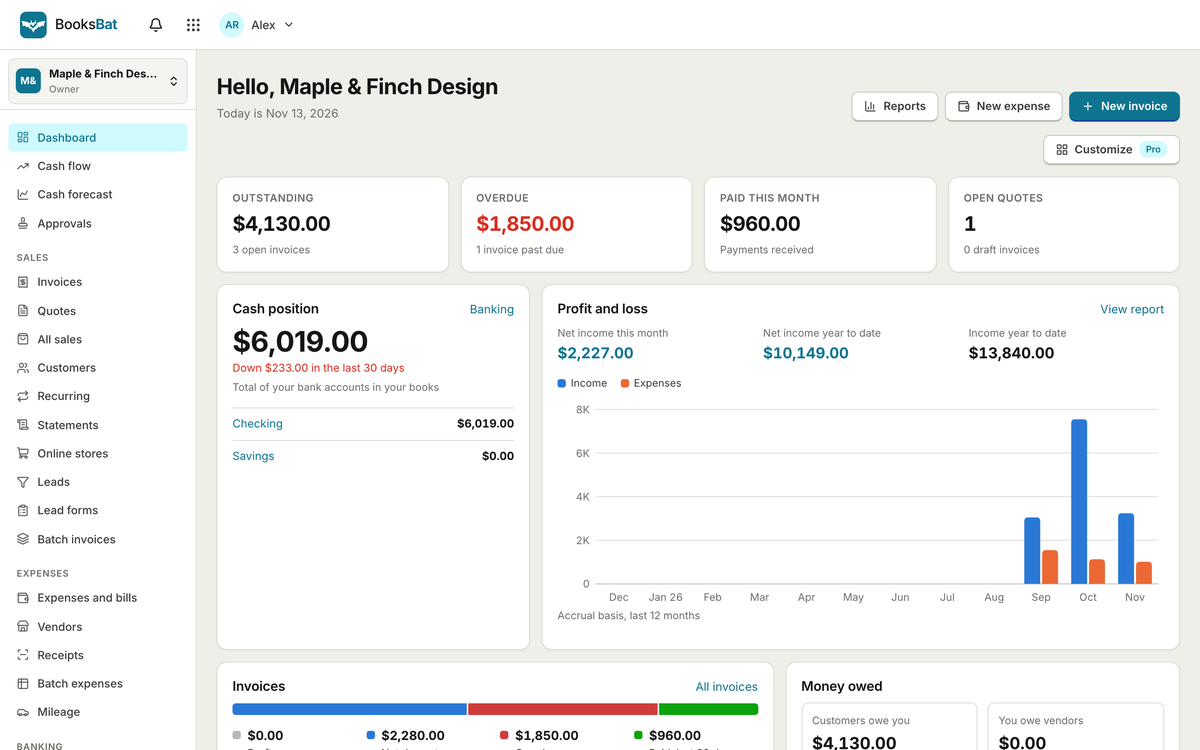
Outstanding and overdue invoices, cash in the bank, and profit and loss for the last twelve months, the moment you sign in.
- Money owed to you and by you
- Cash position
- Income and expenses chart
Send invoices and quotes customers can pay and accept online, track expenses and bills, reconcile your bank and read clear reports. Real double entry bookkeeping under a simple screen.
Try everything free for 3 days, no card needed.
A real screenshot of BooksBat with sample data
Scroll through the real app. Every screen below is a screenshot of BooksBat with sample data.
Outstanding and overdue invoices, cash in the bank, and profit and loss for the last twelve months, the moment you sign in.
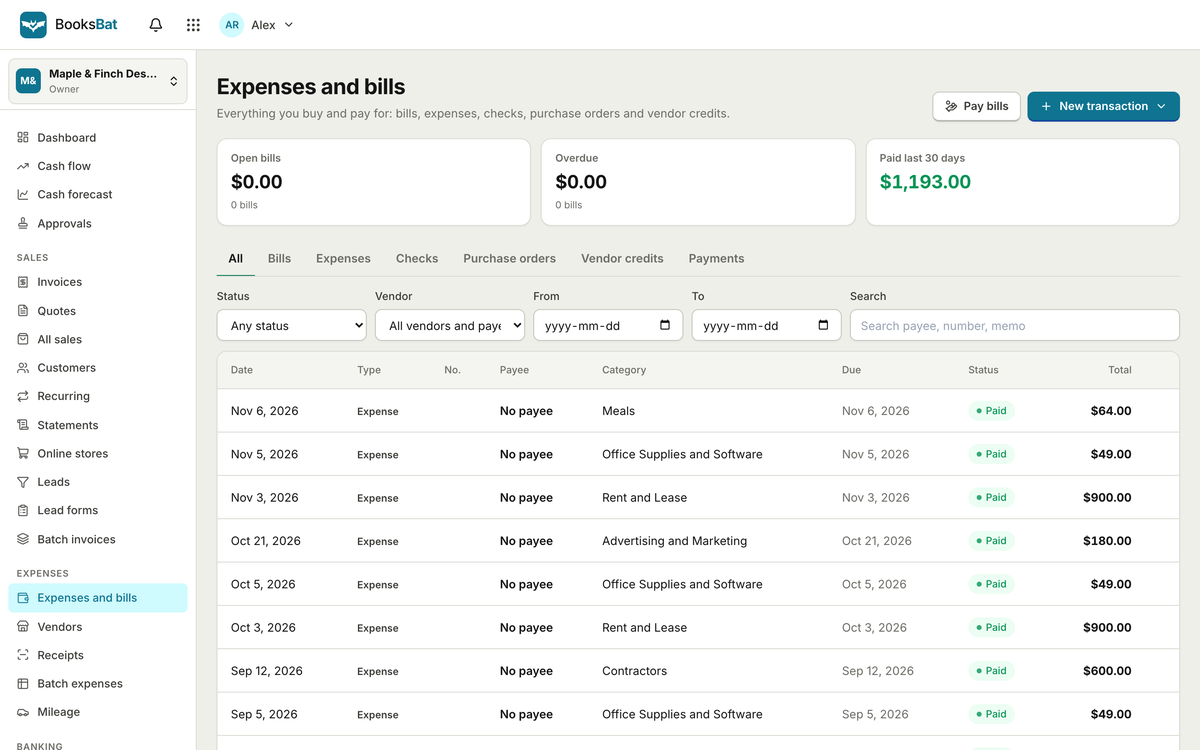
Pick a customer, add lines and see the finished invoice update beside the form. Set payment terms, currency and a PO number.
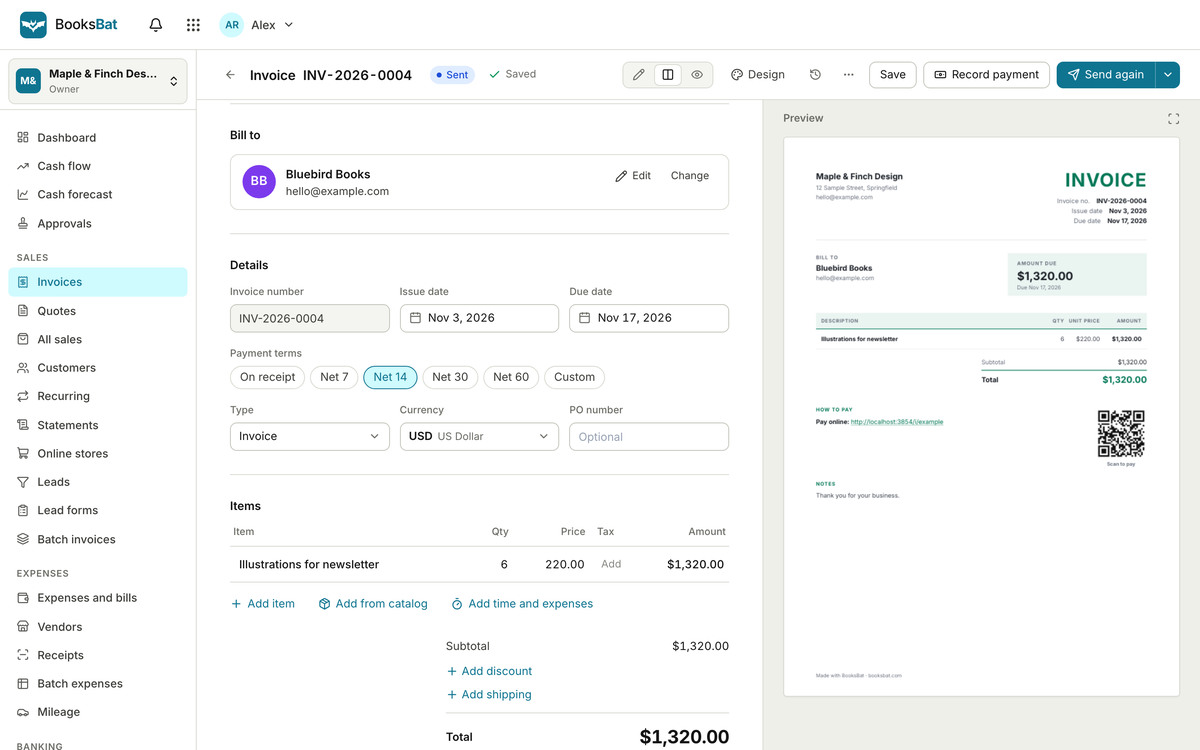
Draft, sent, viewed, partially paid, paid, overdue or void: filter by status and see exactly what is owed.
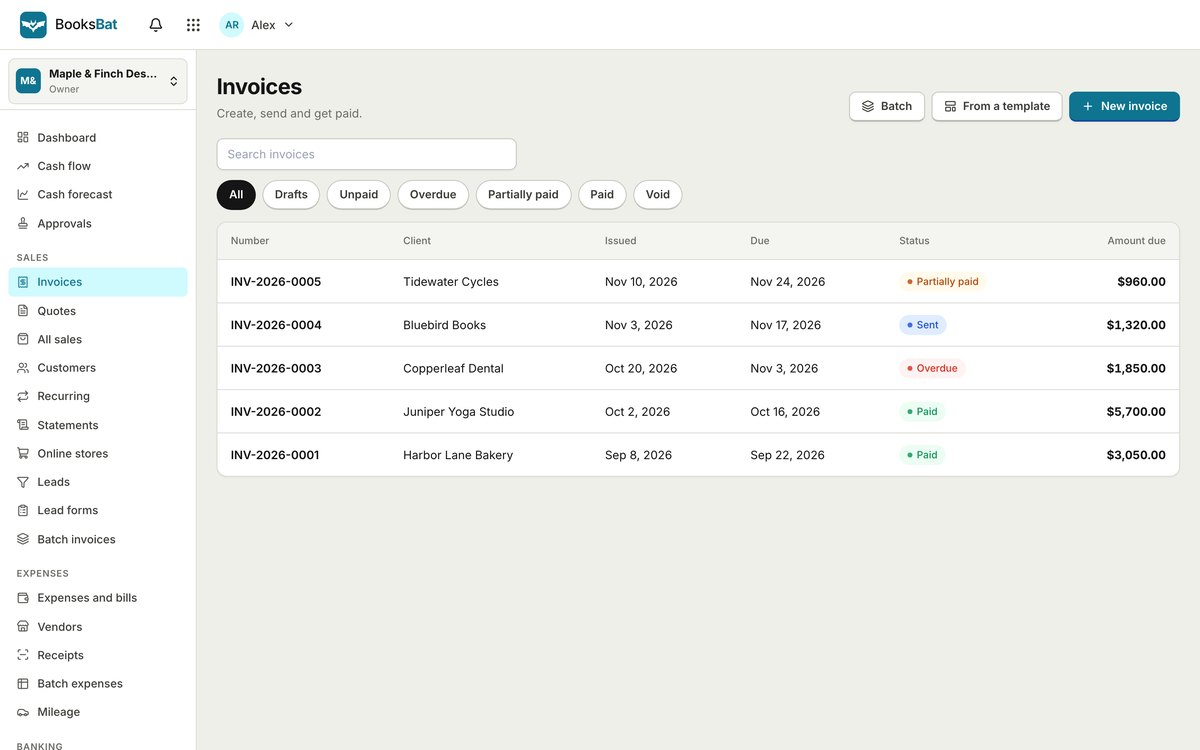
Record expenses, bills and checks against the right category, attach receipts and see what is open, overdue or paid.
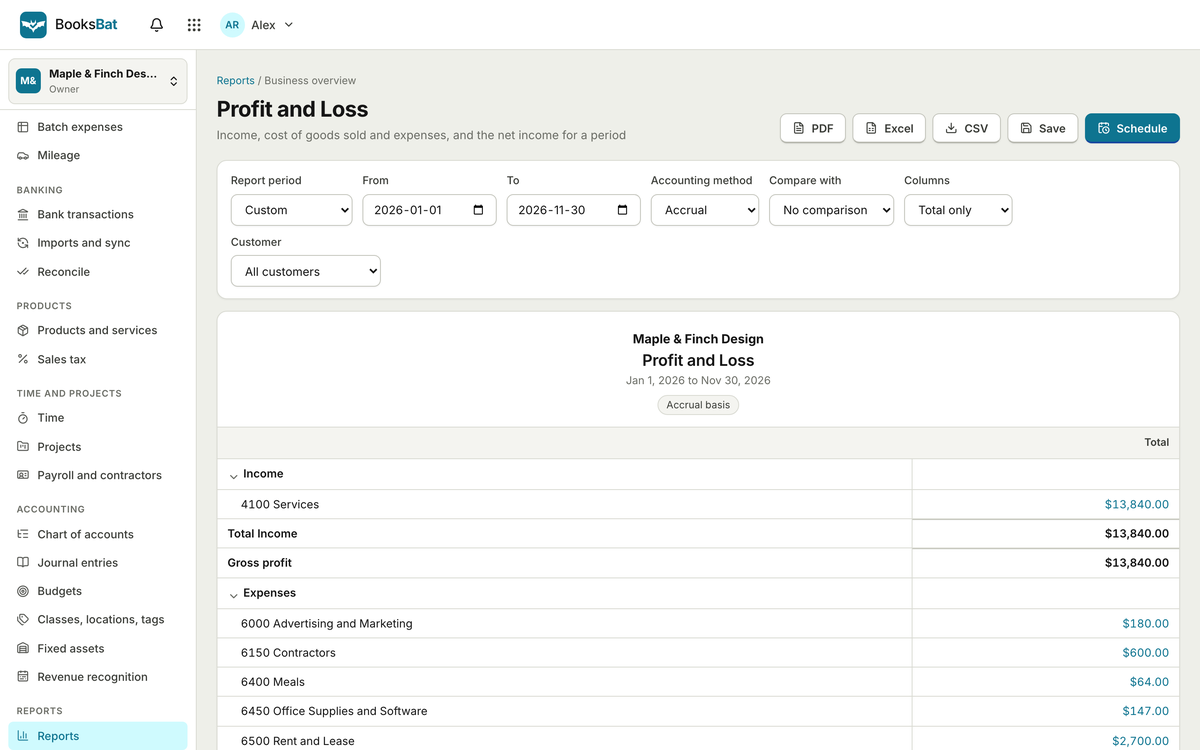
Profit and loss, balance sheet and cash flow come from a real double entry ledger. Export to PDF, Excel or CSV, or schedule them by email.
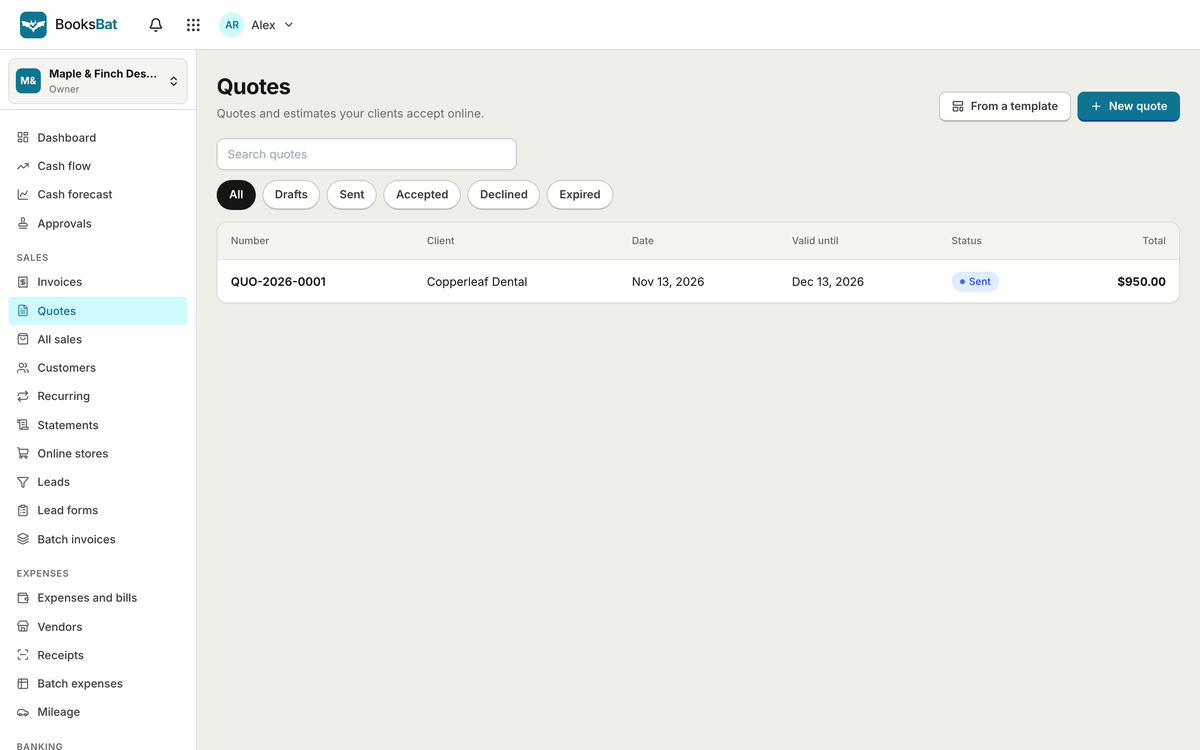
Send a quote with a link. Your customer accepts or declines online and you see the status change.
Change the lines, quantities, prices or tax and watch the totals update, the way the BooksBat editor previews your invoice.
| Description | Qty | Price | Amount |
|---|
Invoices, quotes customers accept online, credit notes, statements, recurring invoices and automatic reminders.
Connect your own Stripe, PayPal, Square, Razorpay, Mollie, GoCardless or Lemon Squeezy account. Fees post to the books for you.
Expenses, bills, vendors and purchase orders, with AI receipt scanning and billable expenses with markup.
Import CSV, OFX, QFX or QBO statements, match transactions with rules and reconcile each account.
Profit and loss, balance sheet, cash flow, aging, sales tax and more, exported to PDF, Excel or CSV.
Every invoice, payment and expense posts to a general ledger with a chart of accounts you control.
Add your logo and details, pick an invoice design and connect a payment provider.
Send invoices and quotes, record expenses and bills, import your bank statements.
Match transactions, reconcile, and read your profit and loss whenever you like.
The same OfficeBats account signs you in to every Bats app, so work flows from one to the next without another password or another bill.
One OfficeBats plan covers BooksBat and the six other apps. Pick Free, Pro or Business once.
| BooksBat | Free | Pro | Business |
|---|---|---|---|
| Price, covers all seven apps | $0 | $10.99 a month | $19 a month |
| Invoices and quotes | 5 each a month | Unlimited | Unlimited |
| Customers | 5 | Unlimited | Unlimited |
| Users | 1 | 3 | 25 |
| Companies | 1 | 3 | 10 |
| Online payments | Stripe | Stripe, PayPal and 5 more | Stripe, PayPal and 5 more |
| Bank statement import and reconciliation | Included | Included | Included |
| Recurring invoices and reminders | Not included | Included | Included |
| Custom report builder | Not included | Included | Included |
| Invoice emails a day | 50 | 1,000 | 3,000 |
| Fixed assets, revenue recognition, cash forecasting, store sync | Not included | Not included | Included |
| Shared AI credits each month | 300 | 5,000 | 20,000 |
BooksBat starts where most small businesses start: sending an invoice. Pick one of eight designs, add your logo, and send an invoice your customer can pay online through the payment provider you already use. Quotes can be accepted online and turned into invoices in one step.
Underneath, every invoice, payment, expense and bill posts to a double entry general ledger. That means your profit and loss, balance sheet and cash flow reports are real accounting reports, not a running total, and your accountant can work with them.
Need a one off invoice right now? The free invoice generator on BooksBat makes a PDF invoice without an account. When you want the invoices tracked and paid online, move to the full app.
Snap a receipt and let AI read it, import bank statements, set rules for the transactions that repeat, and reconcile each account at the end of the month. BooksBat is part of OfficeBats, so one account and one plan cover it and every other Bats app.
A practical small business workflow: intake form, proposal, signed contract, quote, invoice and payment, plus a website with a booking form.
Share your accounting with your accountant or bookkeeper without sharing a password. Roles, review only access, comments, audit log and closing the books.
A plain English guide to the profit and loss statement: income, cost of goods sold, gross profit, expenses and net income, with a real example.
Yes. The free plan includes the ledger, invoices, expenses, bills, core reports, bank import and reconciliation, with 5 invoices and 5 quotes a month for up to 5 customers.
Stripe on every plan. Pro and Business add PayPal, Square, Razorpay, Mollie, GoCardless and Lemon Squeezy. Each one connects to your own account and BooksBat adds no fee by default.
BooksBat imports bank statements in CSV, OFX, QFX and QBO formats, then matches and reconciles them. There is no live bank feed today.
No. BooksBat tracks sales tax and keeps payroll records, but it does not file tax returns or calculate payroll taxes.
Yes. Invite them with the accountant role. Pro includes 3 users and Business 25.
Create a free account once and use it for BooksBat and every other Bats app.