How to track expenses as a freelancer without hating it
A simple, low effort system for tracking freelance expenses: separate accounts, quick receipt capture, clear categories and a short monthly review.
Most freelancers do not hate expenses. They hate the pile: a shoebox of faded receipts, a bank statement full of mystery charges, and a tax deadline that turns one evening of tidying into a lost weekend.
The fix is not more discipline. It is a system small enough that you actually keep using it. This guide sets one up, step by step, and shows where software can take the tedious parts off your hands.
A quick note before we start: what you can deduct depends on where you live and how your business is set up. This post is about keeping good records. For what counts as deductible, ask an accountant or check your tax authority's guidance.
Good expense records do three jobs at once:
- They lower your tax bill. Legitimate business costs you cannot prove are costs you probably cannot claim.
- They show your real profit. Revenue feels great until you subtract software, equipment, travel and fees. Knowing the real number helps you price your work.
- They protect you. If a tax authority asks questions, organized records with receipts make the conversation short.
Step 1: Separate business and personal money
This one change makes everything else easier.
- Open a bank account used only for your freelance work. It does not need to be a special business account if a plain second account is allowed where you are.
- Get a card linked to that account and use it for every business purchase.
- Pay yourself by transferring money from the business account to your personal one, rather than spending from it directly.
Now your business bank statement is your expense list. You are no longer sorting groceries from software subscriptions every month.
Step 2: Capture receipts the moment you get them
Receipts get lost in the gap between buying something and dealing with it. Close the gap.
- Photograph paper receipts right away, before they go in a pocket.
- Forward email receipts to one folder or label, so they are never buried.
- Write a two word note on anything unclear: "client lunch", "studio rent". Future you will not remember.
Step 3: Use a short list of categories
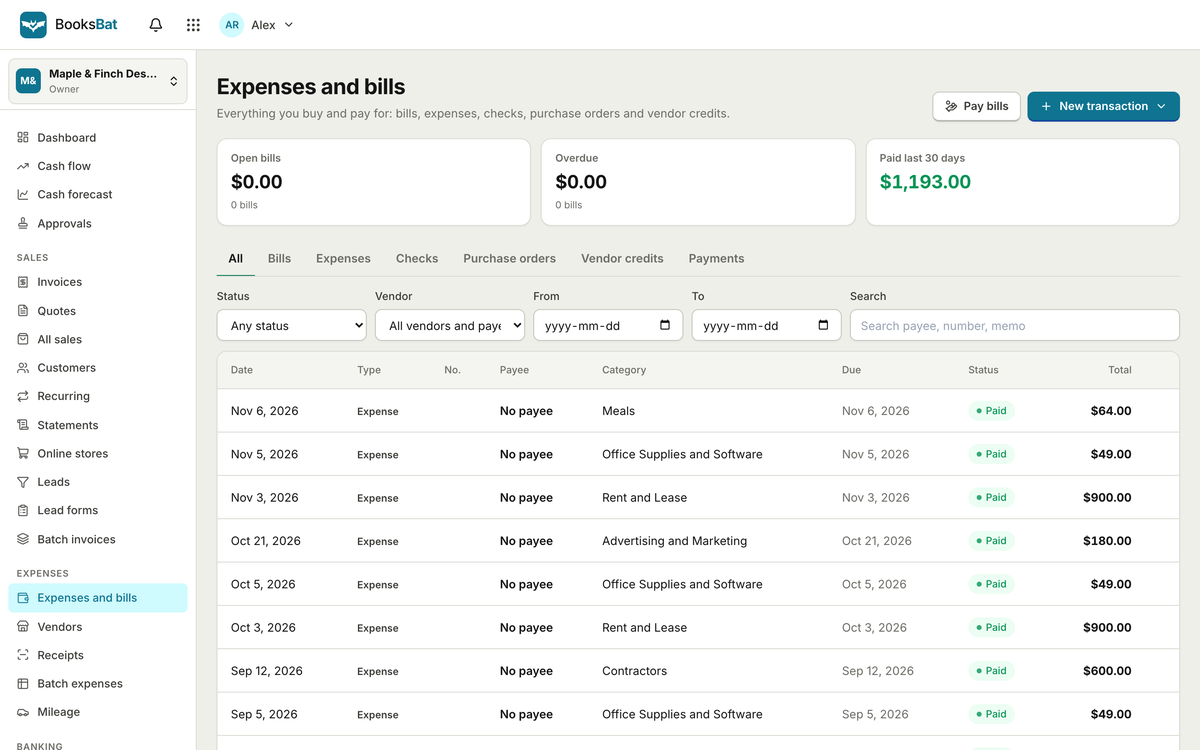
You do not need fifty categories. You need enough to see where money goes and to match the lines on your tax forms. A good starting set for many freelancers:
| Category | Examples |
|---|---|
| Software and subscriptions | Design tools, hosting, cloud storage |
| Equipment | Laptop, camera, monitor |
| Office and supplies | Desk, printer ink, stationery |
| Travel | Train fares, flights, hotels for client work |
| Vehicle and mileage | Business trips in your own car |
| Meals | Client meetings, where allowed |
| Professional services | Accountant, lawyer, contractors you hire |
| Marketing | Ads, website, printed materials |
| Fees and bank charges | Payment processing, bank fees |
Add a category only when you notice the same kind of cost turning up again and again.
Step 4: Handle the tricky ones
A few kinds of expenses need a bit more care.
Mileage
If you drive for work, keep a log of each trip: date, where you went, why, and how far. Many tax systems let you claim a per mile or per kilometer rate rather than actual car costs, but only with a record of the trips.
Billable expenses
Some costs belong to a client: materials, travel for their project, a stock photo license. Mark these as billable when you record them, so they end up on the client's next invoice instead of quietly coming out of your pocket.
Contractors
If you hire other freelancers, keep their details and what you paid them. In the US, payments to contractors above a threshold may need to be reported on a 1099 form, so it helps to track those payments as you go.
Step 5: A 20 minute monthly review
Once a month, sit down with a coffee and:
- Download your business bank statement.
- Check every transaction has a category and, where needed, a receipt.
- Chase anything missing while you can still remember it.
- Move billable expenses onto invoices.
- Glance at totals by category. Anything surprising?
Twenty minutes a month beats an entire weekend in April. If you want to go further, matching your records against the bank statement is called reconciliation, and we cover it in bank reconciliation for small businesses.
Spreadsheets or software?
A spreadsheet is a perfectly good place to start, and plenty of freelancers stay with one for years. It is free and you control it. The tradeoffs show up as you grow: receipts live somewhere else, totals depend on formulas you have to maintain, and nothing connects your expenses to your invoices.
Accounting software takes over the repetitive parts. Here is how BooksBat handles the steps above:
- AI receipt scanning. Upload a photo of a receipt and BooksBat reads it into an expense for you to check and save. It uses AI credits, which are explained in AI credits explained.
- Expenses, bills and vendors. Record one off expenses, bills you will pay later and recurring bills like rent or software, each linked to the vendor.
- Mileage tracking. Log business trips as you go instead of rebuilding them from memory.
- Billable expenses with markup. Mark a cost as billable and add a markup if your contract allows it, so it flows onto the client's invoice.
- 1099 tracking for contractors you pay.
- Bank statement import. Import CSV, OFX, QFX or QBO files from your bank, match transactions to what you have recorded, and set bank rules so regular charges get categorized automatically. BooksBat does not connect to a live bank feed, so you download the statement from your bank and import it.
- Reports. See expenses by vendor and a profit and loss report, and export to CSV, Excel or PDF for your accountant.
Behind it is real double entry bookkeeping, so the numbers your accountant sees are built the way they expect. The Free plan covers 2 bank accounts, which is enough for a single business account and card for many freelancers. See pricing for Pro and Business.
Common mistakes to avoid
- Mixing personal and business spending. It makes every other step harder.
- Keeping receipts only on paper. Thermal paper fades. Photograph them.
- Leaving it all for tax season. You will have forgotten what half the charges were.
- Forgetting small recurring costs. Subscriptions add up, and they are easy to miss.
- Not billing clients for their costs. Billable expenses are money you are owed.
Where to start
You do not have to set up everything today. Start with the two changes that matter most: a separate account for business money, and photographing receipts the moment you get them. Add categories and a monthly review once those feel normal.
When you are ready to stop maintaining the spreadsheet yourself, create a free account and import last month's bank statement into BooksBat. It is a quick way to see whether the system suits you.