One account for every tool: why we built OfficeBats
Separate apps used to mean separate logins and plans. OfficeBats brings them under one account, one plan and one AI wallet. Here is what changes.
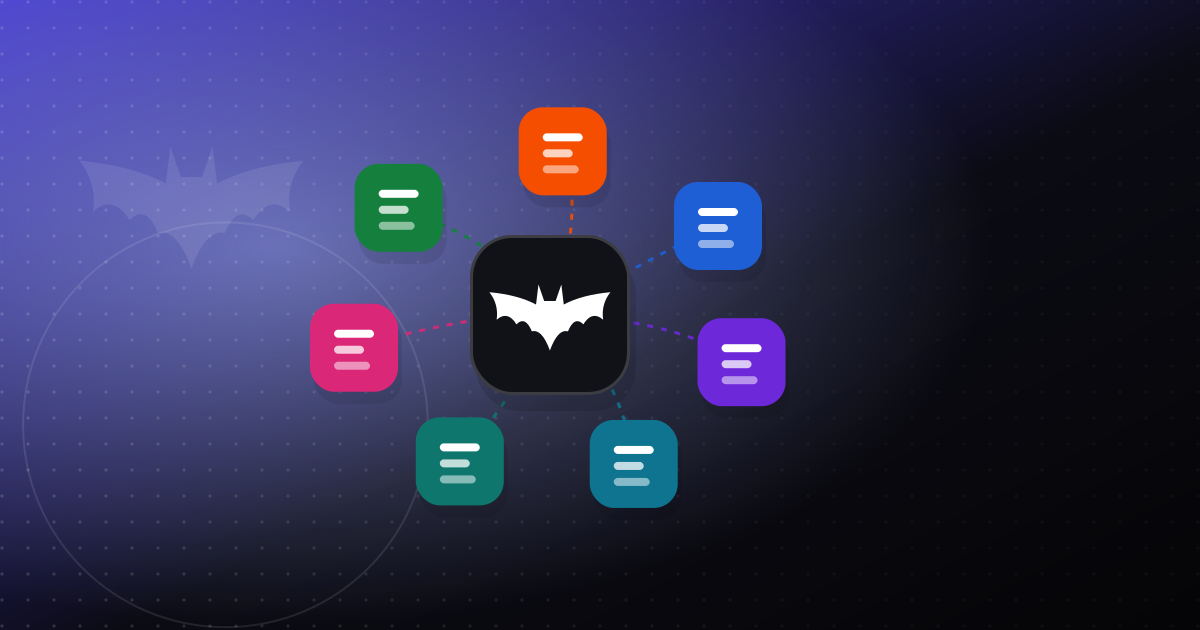
Most small teams do not work in a single app. A typical week might include signing a contract, editing a Word file, collecting answers from a form, sending an invoice and updating a website. We built tools for each of those jobs: PDFbat for PDFs, DocsBat for Word documents, FormsBat for forms and surveys, BooksBat for invoicing and accounting, Buildan.app for websites and web apps, SlidesBat for presentations and SheetsBat for spreadsheets.
For a while, each of those apps stood on its own. Each had its own sign in, its own plan and its own way of handling AI. That made sense when you only used one of them. It made less sense the moment you used two. OfficeBats is our answer to that: one account, one plan and one AI credit wallet that work across all seven apps.
This post explains what we changed, why we think it is better, and what it means if you already had an account in one of the apps.
The problem with separate apps
When every app is its own island, small frictions add up. None of them is dramatic on its own, but together they get in the way of the actual work.
Too many logins
If you used PDFbat and BooksBat, you had two passwords to manage and two places to set up security. Turning on two-factor in one app did nothing for the other. Signing out of one left you signed in to the other. That is not a great security story, and it is tiring.
Too many plans
Separate apps meant separate subscriptions. Someone who needed paid features in two apps had to think about two bills, two renewal dates and two sets of limits. It was easy to end up paying for more than you used, or to hit a limit in one app while having room to spare in another.
AI that did not travel
AI features showed up across the apps: chatting with a PDF, drafting text in a Word document, creating a form from a description, drafting an invoice from job notes, building a website from a short description. When each app treated AI separately, you could not move what you had from one place to another. A busy month in one app and a quiet month in another did not balance out.
What OfficeBats changes
OfficeBats at officebats.com is the account that sits above the seven apps. Here is what that means in practice.
One sign in
You sign in once on OfficeBats. Each app's "Sign in" button goes through OfficeBats, so you use the same password and the same two-factor setup everywhere. When you choose to sign out everywhere, your sessions end in all the apps at once, not just the one you happen to have open.
One plan for all seven apps
Plans now cover every app together:
| Plan | Monthly | Yearly |
|---|---|---|
| Free | $0 | $0 |
| Pro | $10.99 | $109.90 |
| Business | $19 | $190 |
Yearly pricing is the price of ten months. Whichever plan you pick applies to PDFbat, DocsBat, FormsBat, BooksBat, Buildan.app, SlidesBat and SheetsBat at the same time. You can see the full details on the pricing page.
One AI credit wallet
Every plan includes a monthly allowance of AI credits that you can spend in any of the seven apps: 300 on Free, 5,000 on Pro and 20,000 on Business. If you need more, you can buy credit packs, and pack credits never expire. We wrote a separate guide that walks through how the wallet works, how costs are calculated and how to make credits last: AI credits explained.
One shared Drive
Every app saves to the same Drive, which you can open at officebats.com/drive: 5 GB on Free, 100 GB on Pro and 200 GB on Business. A PDF you edit in PDFbat and a document you write in DocsBat sit side by side. If you need more room, the storage add on is $2.99 per 10 GB block per month, and each block adds 10 GB to that one Drive.
What stays the same
We were careful not to change the parts that already worked. Each app keeps its own address and its own focus. PDFbat still lives at pdfbat.com, Buildan.app still lives at buildan.app, and so on. The tools inside each app are the same tools, and your files are where you left them.
OfficeBats is not a new app you have to learn. It is the account and billing layer that connects the apps you already use.
If you already had an account
This is the question we care most about getting right, so here is the plain answer.
- Your files stay. If you had an account in one or more of the individual apps, you keep all of your files. Nothing is deleted or moved somewhere you cannot find it.
- Your login is linked. Your existing app login is linked to an OfficeBats account, so you sign in through OfficeBats from now on.
- Your subscription keeps working. Existing per app subscriptions keep billing as they did, and they count toward your OfficeBats plan. You do not need to cancel anything or sign up again.
If you have accounts in more than one app, it is worth signing in on OfficeBats and checking that everything you expect is linked. While you are there, it is a good moment to review your security settings, especially if you only had two-factor turned on in one of the apps before. Our guide to two-factor authentication covers the setup step by step.
Security and privacy, in one place
Having one account means your security settings apply everywhere, so we want to be clear about what is behind them.
- Connections use TLS (HTTPS) with HSTS.
- Our database and file storage providers encrypt data at rest.
- Passwords are hashed with scrypt and a unique salt.
- Two-factor uses TOTP authenticator apps, with 10 single use recovery codes that we store hashed.
- Changing your password signs out your other sessions.
- Sign in attempts are rate limited.
- We do not use your documents to train AI models, and we do not sell personal information.
If you ever decide to leave, deleting your OfficeBats account removes your data in every app. You can read more on our security page.
Is a suite right for you?
We do not think everyone needs every app. Plenty of people will only ever use one of them, and that is fine: the Free plan covers all seven, so you can use the one you need and ignore the rest. The suite starts to pay off when you use two or more, because that is where the shared login, shared plan and shared credits remove real friction.
If you are weighing a suite against a set of separate tools from different places, we wrote a fair comparison of both approaches, including the cases where separate specialist tools are the better choice: One suite or separate tools?
Where to start
- New here: create a free account at officebats.com and open whichever app fits the job in front of you.
- Already using one of our apps: sign in through OfficeBats with your existing login, check your linked apps and turn on two-factor if you have not already.
- Paying for more than one app: keep your current subscriptions running; they count toward your plan, and you can review your options on the pricing page whenever it suits you.
We built OfficeBats because juggling logins and plans was getting in the way of the actual work. We hope it makes your week a little simpler. If something does not work the way you expect, tell us, and we will keep improving it.