From website to web app: bookings, memberships, courses and stores
When a small business site should become a web app, what bookings, memberships, courses and stores need behind the scenes, and how to build them in steps.

A website tells people about your business. A web app lets them do something with it: book a slot, log in to a members area, take a course, buy a product. For many small businesses, that step is where the site starts earning its keep.
It is also where things used to get expensive. Accounts, payments and data meant hiring a developer or stitching together a separate tool per job. This guide looks at when the step makes sense, what each kind of app actually needs, and how to grow into it gradually with Buildan.app and FormsBat.
Website or web app: what is the difference?
The line is blurry, but a useful rule: a website mostly shows the same content to everyone, while a web app remembers who you are and responds to what you do.
| Website | Web app |
|---|---|
| Pages about you | Accounts for your customers |
| Contact form | Bookings, orders, applications |
| Same content for everyone | Content based on who is signed in |
| You update it | Visitors create data too |
Most businesses do not need to jump from one to the other in a single move. You can add pieces as you need them.
Signs you are ready for the next step
- You spend time on email or the phone arranging things a form could handle.
- Customers ask for a login to see their bookings, files or progress.
- You sell something that could be paid for online.
- You keep a spreadsheet of members or students by hand.
- You email files to customers one at a time.
If none of these apply, a good website is enough. That is a fine outcome.
Step one: forms that do real work
Before building accounts and dashboards, ask whether a smart form solves the problem. Forms are the gentlest way to start taking structured requests and payments.
With FormsBat you can build forms and embed them on your Buildan.app site:
- Logic shows or hides questions and pages based on earlier answers, so a class enquiry only asks about levels relevant to the class chosen.
- A payment question takes payment through Stripe Connect on your own Stripe account, with no platform fee by default.
- File upload, signature and date signed questions cover registrations and consent.
- Approval workflows send a submission to approvers in sequence, who approve or reject with a comment.
- Documents: each response can fill a designed layout or your own template and go out for e-signature.
That alone covers class registrations, deposits, event sign ups, membership applications and simple orders. See how to build a payment form and forms that create documents for detailed walkthroughs.
Buildan.app also has its own forms, with uploads, steps and spam protection, which suit contact and enquiry forms on the site itself.
Bookings
Bookings look simple and are not. You need availability, a way to prevent double booking, confirmations, and often deposits or cancellations.
Options, from simple to custom
- A booking request form. Customers ask for a time, you confirm. Low tech, and fine at low volume.
- A booking widget. Buildan.app's 71 integrations for published sites include booking widgets, so an existing booking service can sit on your pages.
- A custom booking app. For something tailored to how you work, Buildan.app's app backend gives you the building blocks.
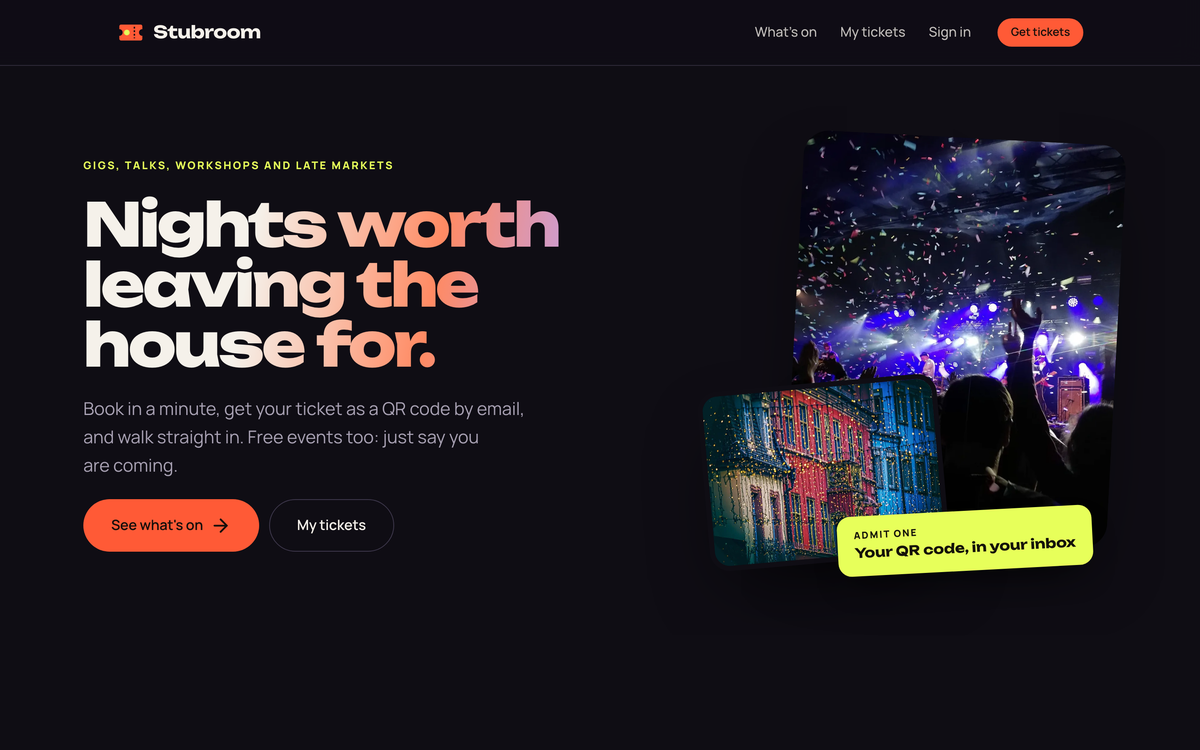
To see what a custom booking app can look like, Wrenly, one of Buildan.app's live demo apps, is a salon booking app with deposits and a team dashboard. Stubroom, another demo, handles events and ticketing with QR tickets, check in and a waitlist.
Memberships
A membership area means people sign in and see something others do not: resources, a community, their own account.
What it needs
- Accounts. Buildan.app's app backend supports site members, so visitors can sign up and sign in to your site.
- Member only content. Pages and data that depend on who is signed in.
- Uploads. Member uploads let people share files with you, such as forms, photos or assignments.
- Email. Welcome messages and notifications.
- Automation. Workflows and server functions handle what happens behind the scenes, like sending an email when someone joins.
If your community is the product, Hearth, a demo social network built with Buildan.app, shows profiles, posts, reactions, messages and groups. Plumline, a demo job board, shows a different shape: listings with salaries, moderation, alerts and an applicant pipeline.
Courses
Online courses combine memberships with structured content: lessons, progress and often payment.
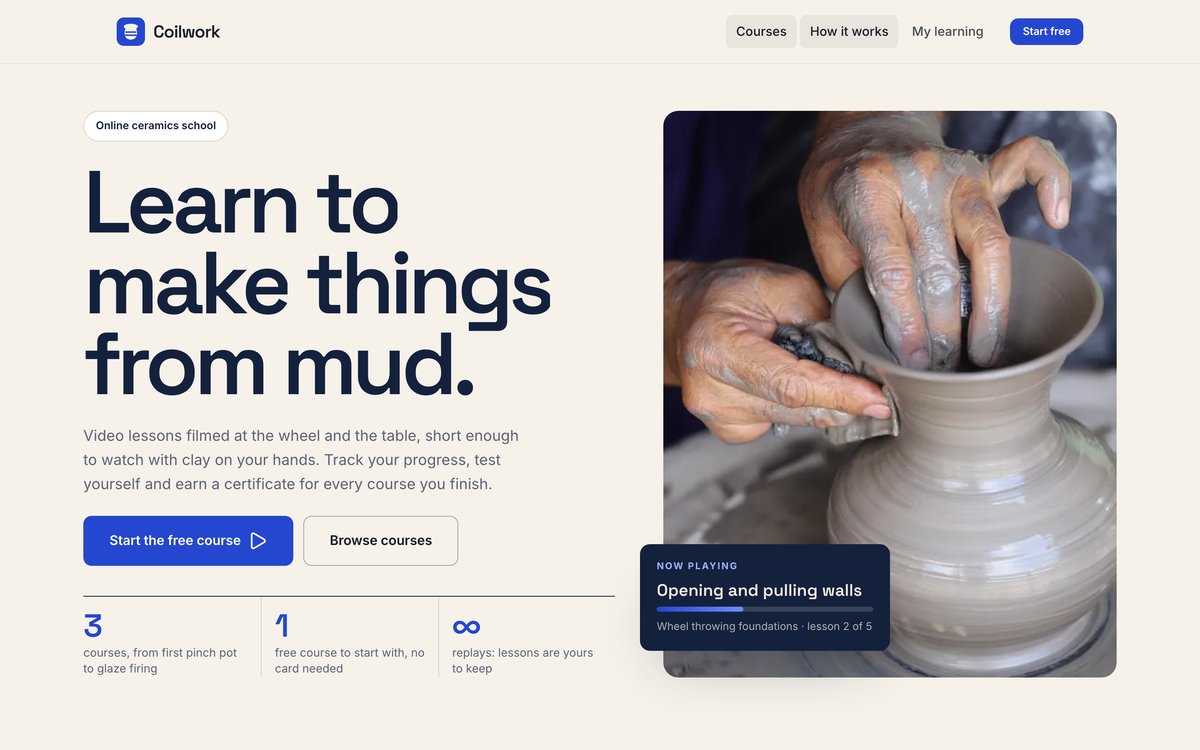
Coilwork, Buildan.app's demo membership course platform, includes paid courses, quizzes and certificates. It is a useful reference for the shape of a course site:
- A public landing page for each course.
- Sign up and payment.
- A members area with lessons in order.
- Quizzes or checks along the way.
- A certificate at the end.
Building a course platform of your own is more work than a booking form, so start small: one course, a few lessons, a simple way to pay. Buildan.app's built in CMS, with custom fields and CSV import, is a natural home for lesson content you want to manage like data.
Online stores and connected tools
If you sell physical or digital products, a store is often the most direct way for a site to earn.
On the Business plan, Buildan.app's online store gives you products, variants, inventory, coupons and checkout through your own Stripe account. For a handful of products or a single offer, a FormsBat payment form can be enough to start.
If you also run your books in BooksBat, the Business plan there can sync store sales from Shopify, WooCommerce, Etsy, Amazon and Square.
Connecting to the rest of your business
A web app is rarely standalone. Buildan.app's app backend can pull in data from REST APIs and databases, so your site can show information that lives elsewhere. Embeds from FormsBat, PDFbat, DocsBat and BooksBat let you bring forms, documents and other tools onto your pages.
Because OfficeBats is one account and one plan for all seven apps, a form, a store and your website share the same login and billing. You sign in once and use the same password and two-factor everywhere.
Honest tradeoffs
- More features mean more to maintain. Accounts need support, payments need refunds, members need moderation.
- Plan limits matter. Buildan.app sites, pages, form submissions and storage scale by plan, and the store is on Business. Check pricing against what you plan to build.
- Custom is not always better. If a dedicated service already does exactly what you need, embedding it can be the sensible choice.
- Test with real users. Ask a few customers to book, join or buy before you announce it.
Where to start
Write down the one chore that costs you most time each week. If a form can remove it, build that form in FormsBat and embed it on your site. If you need accounts, bookings or a store, look at the demo apps for the closest match and build the smallest version first.
You can create a free account and try both Buildan.app and FormsBat with the same login.