How to build a job board website with AI, salaries on every listing
Build a niche job board with AI: employer accounts, moderated listings, salary filters, CV applications, an applicant pipeline and paid featured jobs.

Niche job boards work because they are focused. A board for bakers, for climate jobs, for remote designers or for one city's tech scene gives employers the right candidates and gives job seekers fewer irrelevant listings. What used to stop people was the build: accounts for two kinds of users, moderation, search, applications, emails and payments.
This guide shows how to build a job board with AI on Buildan.app, using Plumline as the worked example. Plumline is a job board where every listing shows the salary, and it runs as a live demo you can try before you start.
What a job board has to do
A job board has two audiences, and each needs its own path.
Candidates want to:
- search by keyword, location, remote work, type, category and pay;
- save jobs and searches, and hear about new matches;
- apply quickly with a CV and a short note;
- see where their applications stand.
Employers want to:
- set up a company profile once;
- post a job and know when it is live;
- review applicants in one place, with notes;
- pay to put an important role at the top.
You, the owner, want to approve listings before they go live, keep the board free of spam and old jobs, and get paid for featured spots.
Choose your starting point
A simple listings site
If you plan to post a handful of roles yourself, describe the site and let AI build it. In Buildan.app choose New site, stay on Describe it, and write what the board is for, who it serves and what visitors should do. Buildan.app plans the pages, writes the copy and sets up the CMS, forms and SEO. A jobs collection in the CMS can give each listing its own page with an apply form.
A full job board with Plumline
If employers will post their own jobs and candidates will apply on your site, start from the Plumline app template on the Template tab. It uses site members, server functions, workflows, private uploads, payments and data components, so it needs the Business plan.
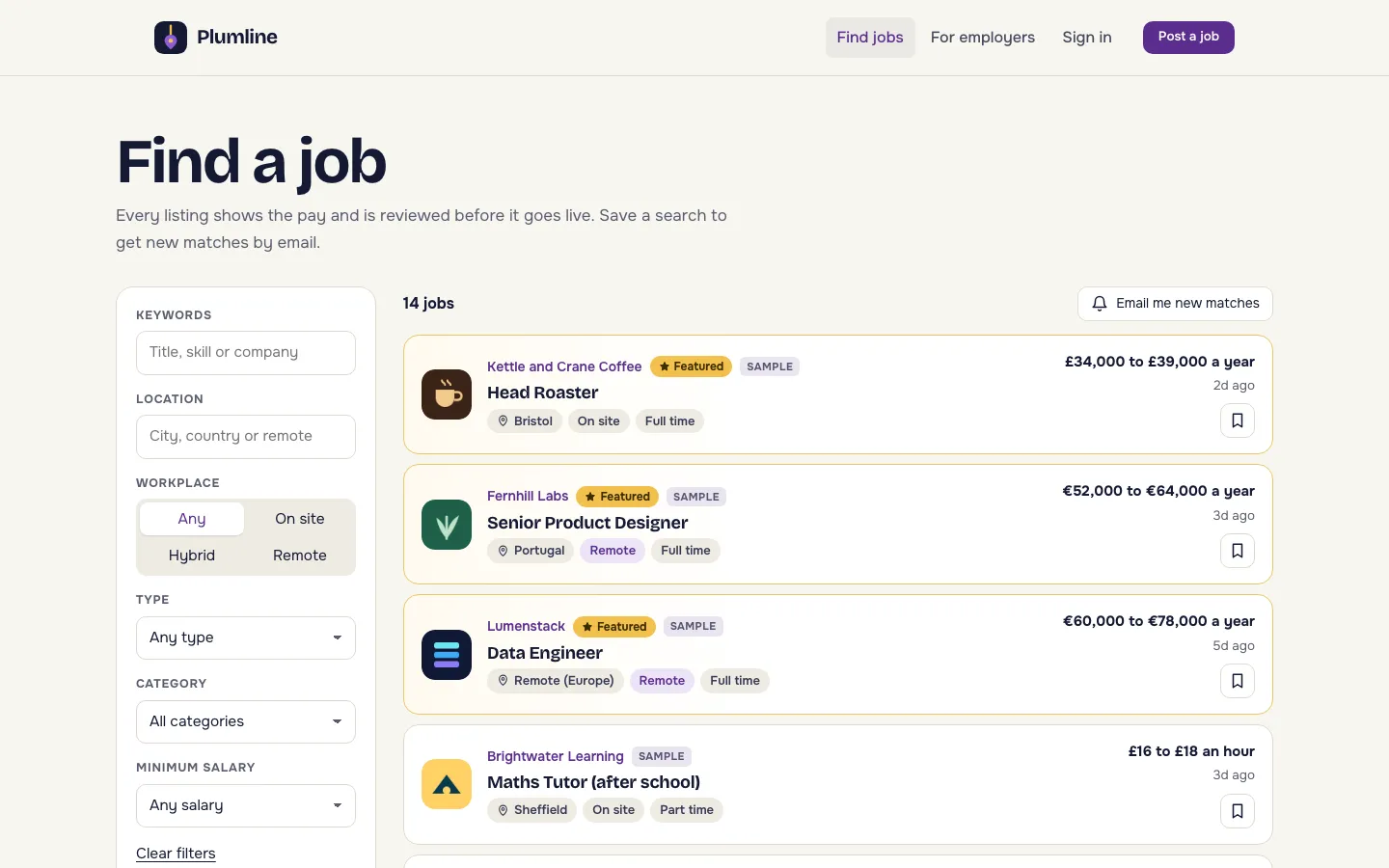
How Plumline works for candidates
- Search. Candidates filter by keywords, location, workplace (on site, hybrid or remote), type, category and minimum salary.
- Save. They bookmark jobs, and Email me new matches saves the current search. When a newly approved job matches it, they get an email.
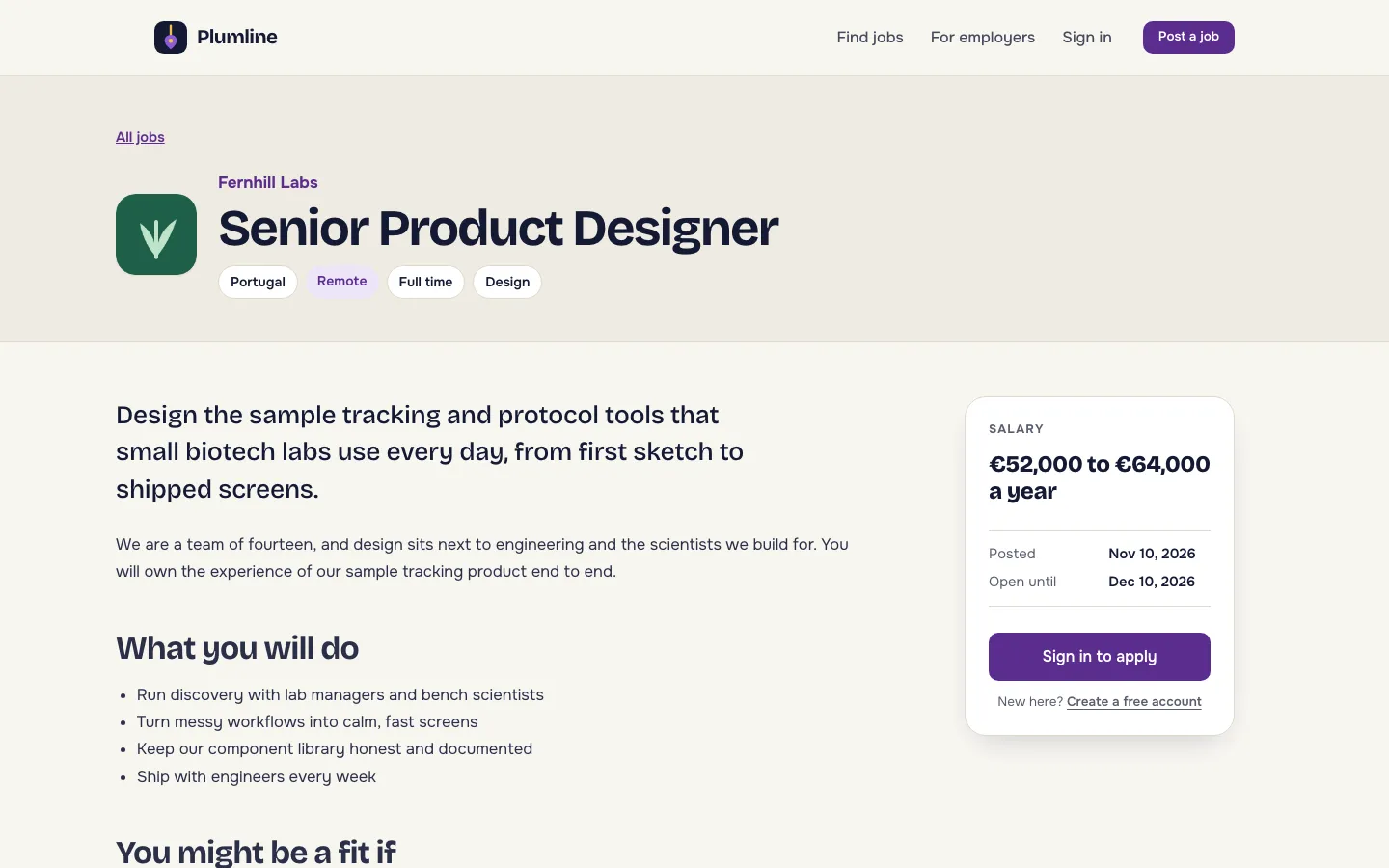
- Read. Every job has its own search friendly page with the salary, the posted date and the closing date.
- Apply. Candidates apply with a PDF CV and a cover note. CVs are private uploads, seen only by the employer who posted the job.
- Follow up. Their account lists their applications and saved jobs.
How Plumline works for employers
- Choose I am hiring and set up a company profile with a name, logo, website and a short description.
- Post a job with the title, location, workplace, type, category, salary range, currency and period, a summary and the full description.
- The job goes to moderation. The owner is told about each new job to review, and can approve it or ask for changes.
- When it is live, applicants arrive in a pipeline. Employers move each one through new, shortlisted, rejected and hired, and add notes along the way.
- To feature a job, the employer pays for a featured listing. It is pinned above the rest of search and onto the home page for 30 days.
Emails go out at every step: new applicants to employers, updates to candidates, reviews and expiry notices.
How it works for you, the owner
The moderation page is where you approve jobs or ask for changes. Behind it, workflows do the routine work:
| Workflow | What it does |
|---|---|
| Job alert emails | Emails members when a newly approved job matches a saved search |
| Application emails | Keeps employers and candidates informed as applications move |
| New job to review | Tells you when an employer submits a job |
| Featured listing paid | Features the job when its payment arrives, even if the buyer closed the tab |
| Expire listings | Every hour, takes jobs past their 30 days off the site and ends featured spots on time |
| Welcome email | Welcomes new members |
There is also an RSS feed of jobs, which other sites and job aggregators can read.
Set up the template for your niche
When you start from Plumline, the site comes with sample companies and jobs, each marked Sample. Work through it in this order:
- Name and brand. Change the board name, logo, colours and fonts in the visual editor. Any Google Font works, and you can style each breakpoint.
- Guidelines. Update the guidelines page so employers know your rules, such as a real salary range on every job.
- Featured price. Set the price of the featured listing product, and connect your own Stripe account so payments go to you.
- Categories. Plumline comes with ten categories, from engineering and design to finance and people. They are set in the app's custom code and server functions, so a niche that needs different ones is a small code change rather than a CMS edit.
- Sample jobs. Delete the samples, or keep one or two real roles you post yourself so the board is not empty on launch day.
- Test. Sign up as an employer, post a job, approve it, then sign up as a candidate in a private window and apply. Use your own email addresses so you see every message the board sends.
Getting the first employers and candidates
A job board is a two sided market, so start small and specific.
- Seed with real jobs. Post a few roles you know about, with permission, so candidates find something on day one.
- Pick one niche and one region if you can. "Bakery and pastry jobs in the North West" is easier to fill than "food jobs".
- Use the saved search emails. A candidate who saves a search comes back every time a match is approved.
- Offer featured listings later. Charge once employers see applicants arriving.
SEO for job listings
Each job page has its own address, a title and a description, and Buildan.app writes the sitemap and structured data. Keep job titles plain and specific ("Head Roaster", not "Coffee Ninja"), put the location in the listing, and let expired jobs come off the site on schedule so search results stay fresh. Put the board on your own domain: Pro includes 5 custom domains and Business includes 50.
Try it first
Open the Plumline demo from the Demos page on buildan.app. You can search by salary, location and remote work, save a search, apply with a PDF CV, then choose I am hiring, post a job and run the pipeline. Demo accounts and everything visitors add are wiped every night.
For other app ideas, see how the same building blocks power an online course website and a salon booking website. For why the AI leaves facts to you, read what an AI website builder should never make up.
Frequently asked questions
Can I build a job board website without coding?
Yes. Start from the Plumline template in Buildan.app and change the brand, pages and featured listing price in the visual editor and the store. The accounts, search, applications and workflows are already built.
Can employers post jobs themselves?
Yes. Employers choose I am hiring, set up a company and post jobs. Each job waits for the owner's approval on the moderation page before it goes live.
How do candidates apply?
Candidates apply on the job page with a PDF CV and a cover note. The CV is a private upload that only the employer who posted the job can open.
Can I charge for featured job listings?
Yes. Plumline sells a featured listing that pins a job above the rest of search and onto the home page for 30 days. Payments go through your own Stripe account.
Which plan does the Plumline template need?
Plumline needs the Business plan, because it uses site members, server functions, workflows, private uploads and payments.