Build an online course website with AI and sell your own courses
Plan and build your own online course website with AI: video lessons, paid enrolment, progress, quizzes, certificates and lesson questions on your domain.

Course marketplaces are an easy way to start teaching online, but the students, the pricing and the look belong to the platform. A course website of your own keeps the relationship with your students, lets you set your prices and puts your lessons on your own domain.
This guide walks through building one with AI on Buildan.app, from planning the course to taking the first payment. It uses Coilwork, a sample online ceramics school, as the worked example, because it is a real course platform you can try before you build.
Decide what kind of course site you need
There are three common shapes, and they need different tools.
| Shape | What it is | What to build |
|---|---|---|
| Course landing page | One page that sells a course hosted somewhere else | A described site with a clear page and a sign up form |
| Lead magnet course | A free email course or downloadable guide | A described site with a form that collects emails |
| Full course platform | Members, lessons, progress, payments and certificates on your site | The Coilwork app template |
If you are still testing an idea, a landing page is enough. Once students pay you directly and expect to log in, watch lessons and pick up where they left off, you need a platform. The rest of this guide covers both, with most of the detail on the platform.
Plan the course before you build
Whatever you build, the course itself comes first. Write down:
- Who it is for and what they can do at the end. "Throw a steady cylinder on the wheel" beats "learn pottery".
- The modules and lessons, in order. Short lessons are easier to finish and easier to resume.
- What is free. A free first course or a free preview lesson lets people try your teaching.
- The price of each paid course.
- How you check learning. A short quiz at the end, with a pass mark.
- Your videos and text, ready to upload.
Keep this in a document; you will paste it into the site later.
Start with AI or from the Coilwork template
Describe your school
For a landing page or a small brochure site, open Buildan.app, choose New site and stay on the Describe it tab. Describe the school in a few honest sentences: the subject, who it is for, how lessons work and what visitors should do next. Then press Generate site. Buildan.app plans the pages, writes the copy, picks colours and fonts and sets up forms and SEO basics, all of which you can edit afterwards.
The AI does not invent student counts, ratings, awards or testimonials. Anything it cannot know is badged as sample content for you to replace.
Start from Coilwork
For a full platform, start from the Coilwork app template on the Template tab. Coilwork is built from site members, server functions, workflows, payments and data components, so it needs the Business plan.
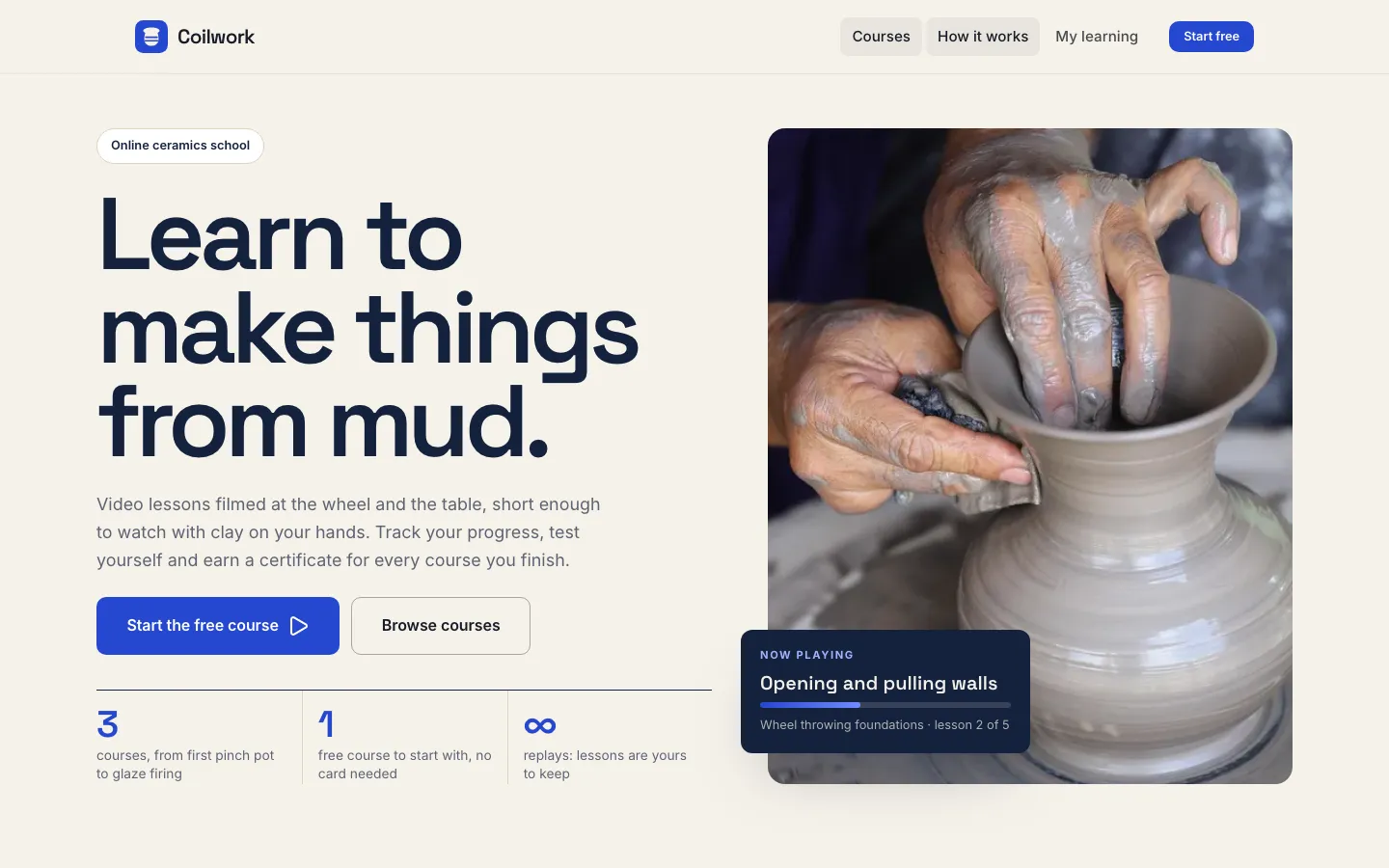
What students get in Coilwork
In the Coilwork demo, a student can:
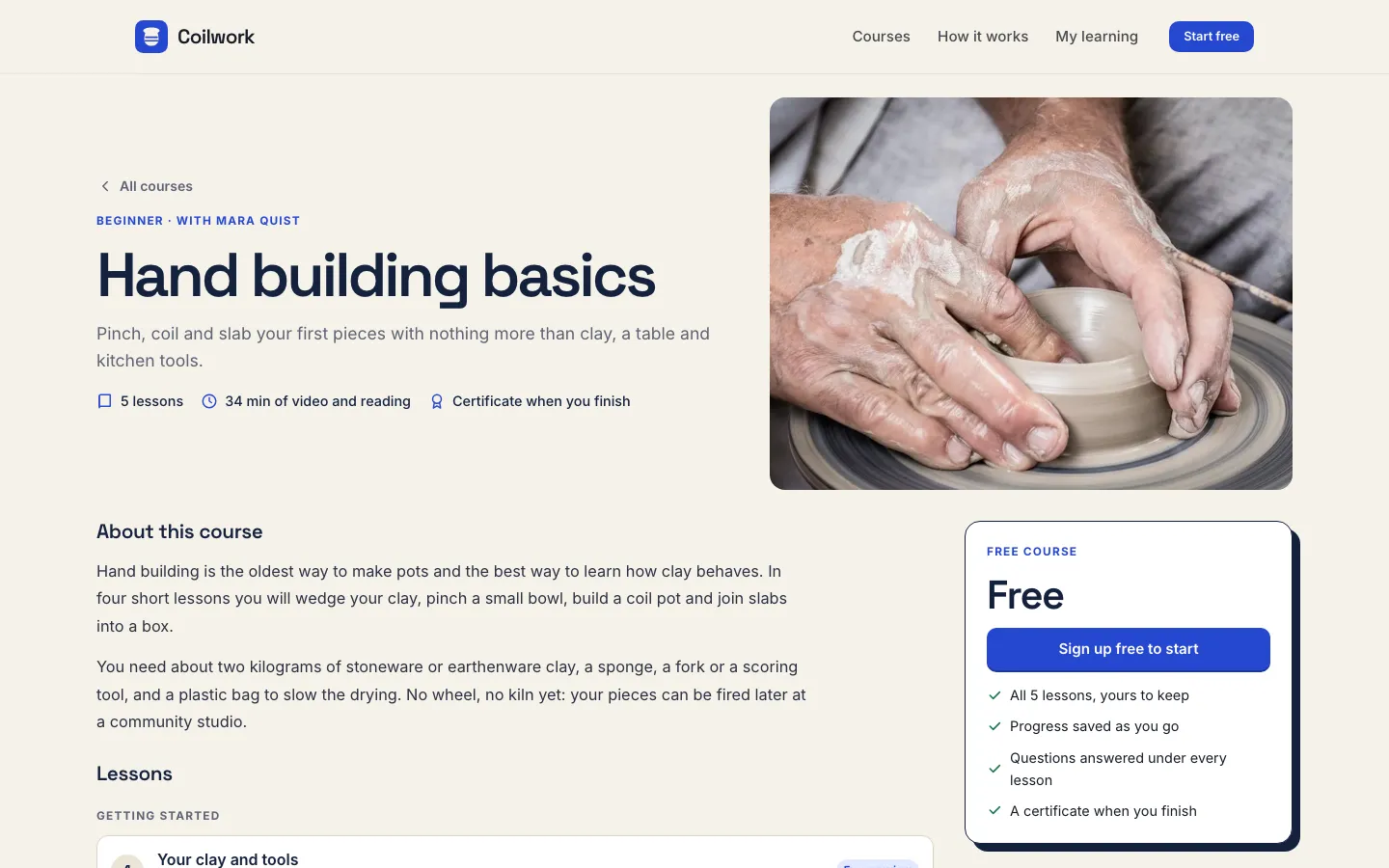
- Sign up and start the free course without a card.
- Buy a paid course through Stripe.
- Watch video lessons, mark each one done and resume where they left off.
- Take the quiz at the end of a course. It is scored on the server, so the answers are not in the page.
- Open a certificate with its own link after passing.
- Ask a question under any lesson and read the answers.
Each course page shows the number of lessons, the total length of video and reading, and that a certificate comes at the end.
What you see as the instructor
The instructor view shows enrolments, completion and sales, and the questions waiting for an answer. You choose who can open it with the instructor emails setting. When a payment arrives, a workflow starts the enrolment, even if the student closes the tab before they come back from Stripe.
Put your course into Coilwork
Once the site exists, the course content lives in CMS collections. Sample items are marked Sample, and publishing asks you to confirm them.
- Settings: set the school name and the instructor emails.
- Courses: replace the sample courses. Each has a title, level, summary, description, cover image, price and price label, instructor and length in minutes.
- Lessons: add lessons to each course with a title, module, order, kind (video, text or quiz) and length in minutes. A video can be a file you upload or a YouTube or Vimeo address. Tick Free preview for lessons anyone can watch.
- Quizzes: end the course with a lesson of the quiz kind, add its questions and set the pass mark as a percentage.
- Payments: connect your own Stripe account so course payments go straight to you, then buy your own course to test the whole path.
- Emails: enrol with your own email address so you receive every course email the app sends.
Design and pages around the platform
The learning screens are part of a normal Buildan.app site, so you can shape everything around them in the visual editor:
- Home page: what students will make or be able to do, the free course and your paid courses.
- About: who teaches and why. Real photos of you at work help more than stock photos.
- How it works: the steps from sign up to certificate.
- FAQ: equipment, time needed, refunds and access.
You can drag in sections, edit in place, use any Google Font and style each breakpoint. Ask the AI for edits if you prefer; changes are previewed and only applied when you approve them. Editing by hand uses no AI credits.
SEO for a course website
Search brings students to course sites for years, so set it up well:
- Give every course its own page with a specific title, such as "Wheel throwing for beginners", not "Course 2".
- Write a real description for each course: who it suits, what is covered and what they need.
- Keep URLs short and readable.
- Publish on your own domain. Pro includes 5 custom domains and Business includes 50.
Buildan.app writes titles, descriptions, a sitemap and structured data, and handles redirects, so pages keep their search value when you rename them.
Before you launch
- Replace every sample course, lesson, photo and price.
- Buy a paid course with your own card and refund it, so you know the payment and the enrolment work.
- Take the quiz, fail it once and pass it once.
- Open the certificate link in a private window.
- Ask a question under a lesson and answer it from the instructor view.
- Check every page on a phone, where most students will watch.
Where to go next
Coilwork is one of several apps built on Buildan.app. If you also run in person workshops, the same ideas apply to selling event tickets on your own website. For a look at how a simple site grows into an app with members and payments, read from website to web app, and if you want slides for your lessons, see how to make a presentation from a Word document with AI.
Frequently asked questions
Can I sell online courses from my own website instead of a marketplace?
Yes. Starting from the Coilwork template, students sign up on your site, buy paid courses through your own Stripe account and learn on your domain, so you keep the relationship and set the prices.
Which Buildan.app plan does a course platform need?
The Coilwork app template needs the Business plan, because it uses site members, server functions, workflows and payments. A course landing page built from a description works on every plan.
Can I offer a free course or free preview lessons?
Yes. Coilwork has a free course that starts without a card, and any lesson can be marked as a free preview in the Lessons collection.
How do quizzes and certificates work?
A course can end with a quiz lesson that holds the questions and a pass mark. The quiz is scored on the server, and students who pass get a certificate with its own link.
What happens if a student pays and closes the tab?
A workflow starts the enrolment when the payment arrives, even if the student never returns from Stripe, so they still get access.