Build a salon booking website with AI, deposits included
How to build a salon or spa website with AI where clients pick a treatment, a stylist and a free time, pay a deposit and manage their own bookings.
A salon website has one job that matters more than the rest: turning a visitor into a booked appointment. People want to see your treatments and prices, pick a person they trust, find a time that suits them and get a confirmation without phoning during a busy afternoon.
This guide shows how to build that kind of site with AI, using Buildan.app. You will see two routes: describe your salon and let AI build a brochure site, or start from the Wrenly booking app and get live availability, deposits and a team dashboard on day one.
What a salon booking website needs
Before you open any builder, decide what the site must do. For most hair, beauty, nail, skin and massage studios, the list looks like this:
| Need | Why it matters |
|---|---|
| A clear treatment menu | Clients compare length and price before they commit |
| A choice of team member | Regulars want their usual stylist |
| Live free times | Nobody wants to request a slot and wait for a reply |
| Deposits on long treatments | Protects you from no shows on a three hour colour |
| Self service changes | Clients move or cancel without calling you |
| Reminders | Fewer forgotten appointments |
| A view for the team | Who is in today, and what is booked |
A plain brochure site covers the first row. Everything after it needs a real booking system behind the pages. Buildan.app can do both, and it helps to know which one you are building.
Route one: describe your salon and let AI build the site
If you only need a good looking site with your services, team, opening hours and a way to get in touch, start with a description.
- Create a free OfficeBats account and open Buildan.app. The same account works across every Bats app.
- Choose New site. On the Create a new site page, stay on the Describe it tab.
- In Describe your business and the site you want, write a few honest sentences: what you offer, who you serve, the feel you want and what visitors should be able to do.
- Add the Business name if you have one, then press Generate site. Generating uses AI credits, and the page shows how many you have before you start.
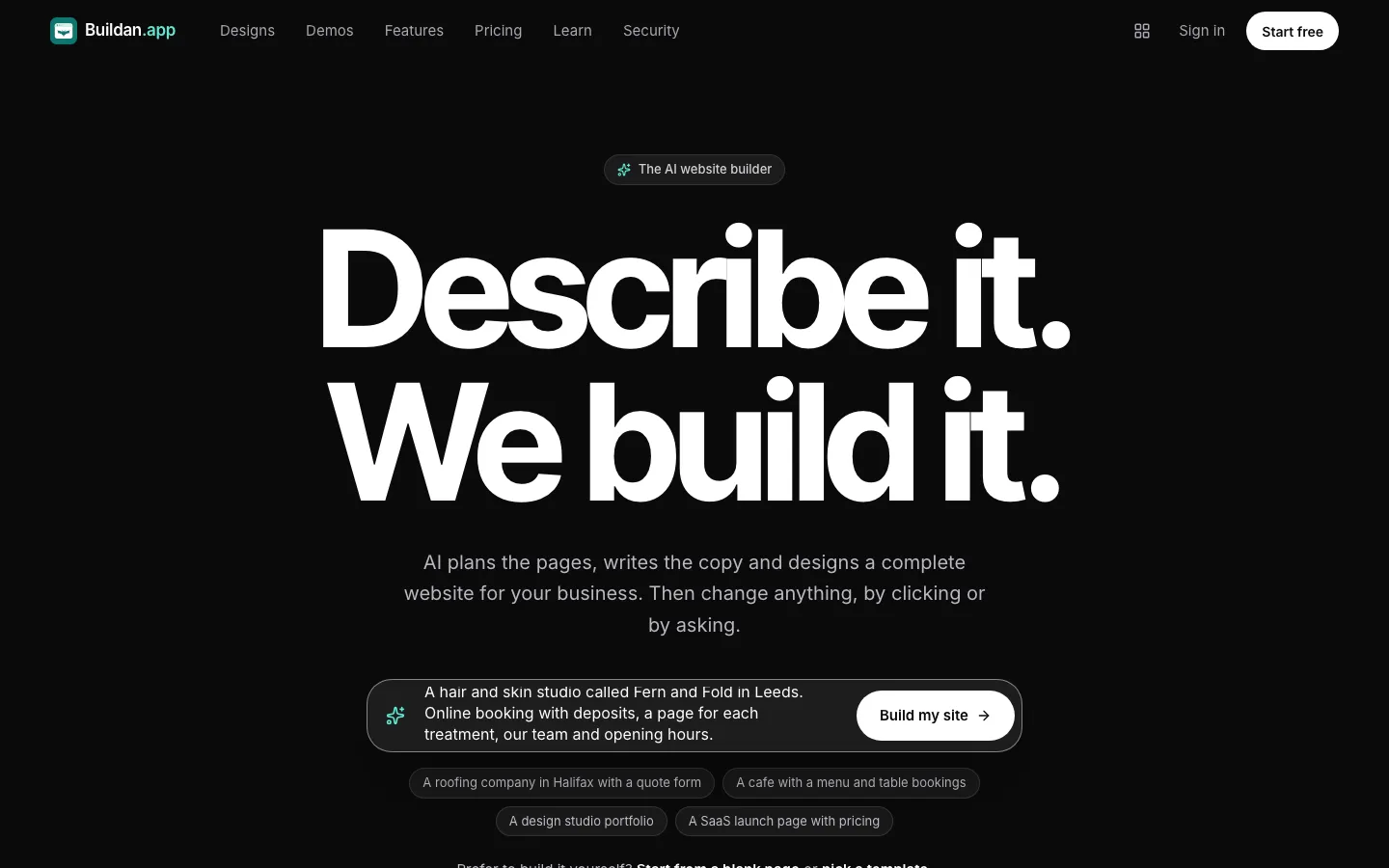
A useful description reads like this: "A hair and skin studio called Fern and Fold. Colour, cuts, facials and massage. Calm and modern. A page for each treatment, the team, opening hours and online booking." From that, Buildan.app plans a sitemap, writes the pages, picks colours and type, and sets up forms and SEO basics.
Sample content is marked, not invented
The AI does not make up reviews, awards, years in business, prices or contact details. Where a page needs something only you know, it uses clearly badged sample content and reminds you to replace it before you publish. That matters for a salon, where a wrong price or a fake review costs you trust at the counter. We cover the reasoning in what an AI website builder should never make up.
Adding a simple booking request
On a brochure site, the quickest booking option is a form. You can drop a FormsBat form onto any page for booking requests, and you reply to confirm. It works well for a small studio with one or two people, but it is a request, not a live calendar.
Route two: start from the Wrenly booking app
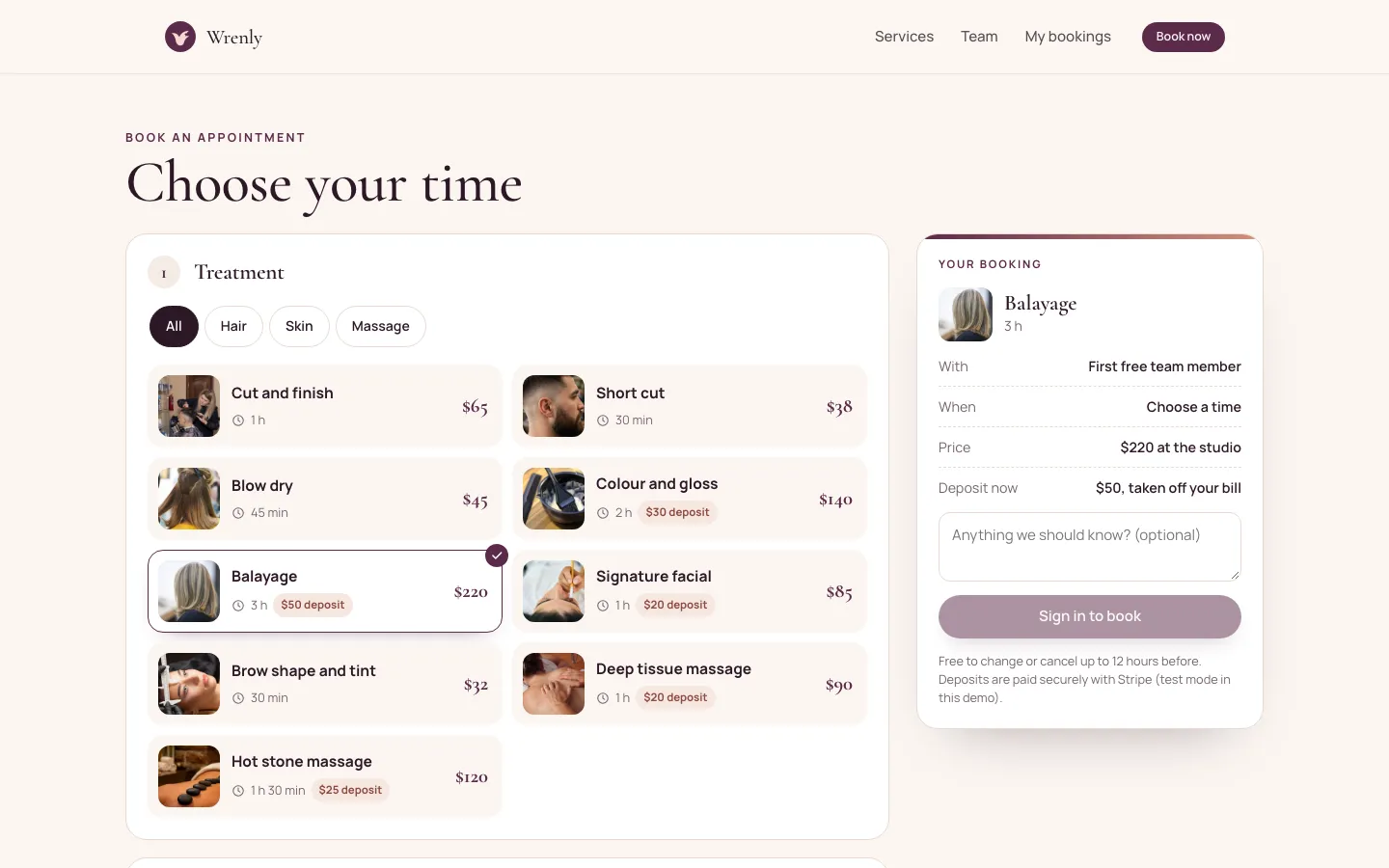
Wrenly is a complete appointment booking app built on Buildan.app for a sample hair, skin and massage studio. It is one of the app templates you can start from, and it has a live demo you can try first.
What clients can do
In Wrenly, a client:
- Picks a treatment, filtered by category such as Hair, Skin or Massage.
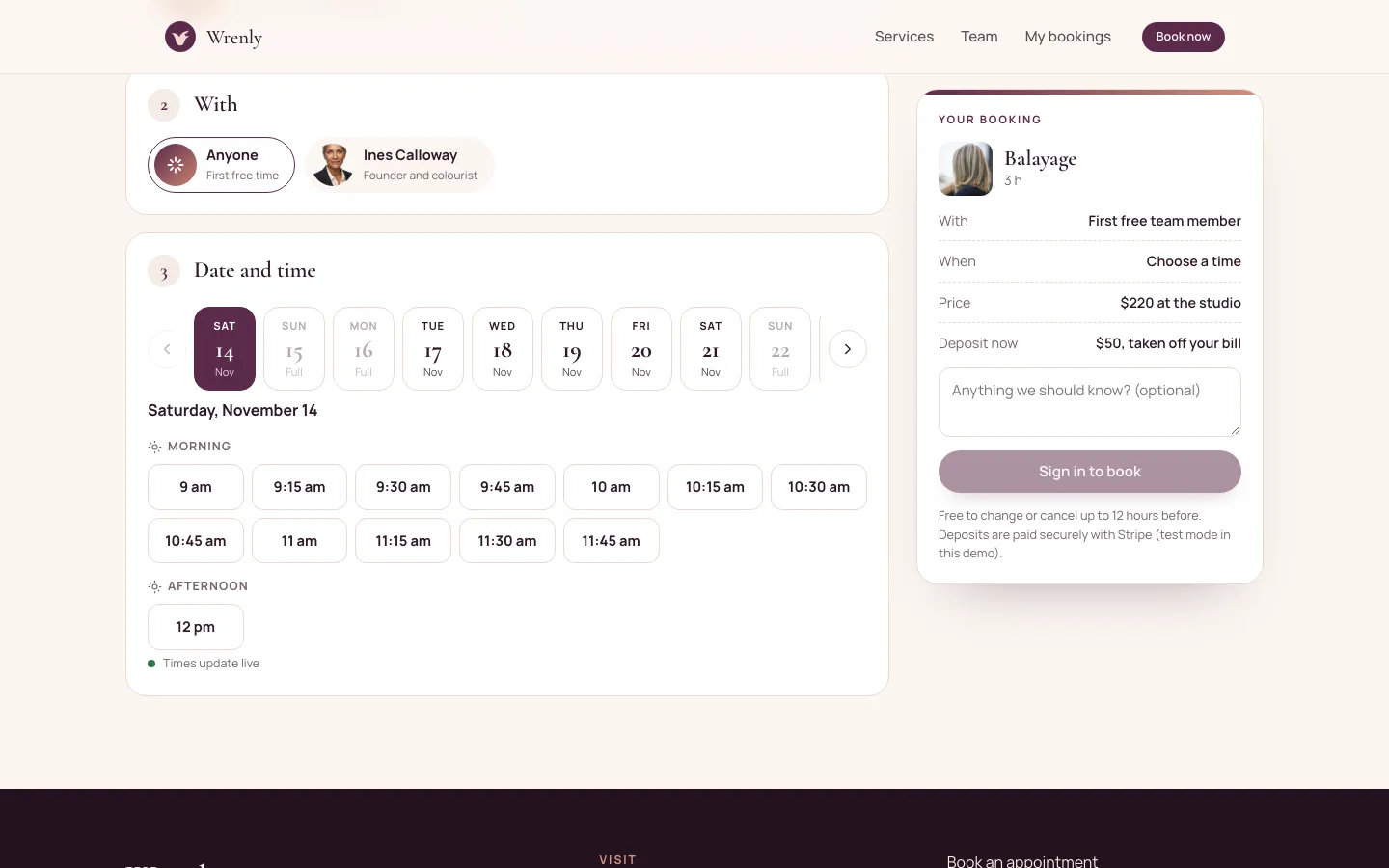
- Chooses a team member, or Anyone for the first free person.
- Picks a day and a free time. Full days are marked, and the times update live.
- Signs in and pays a small deposit through Stripe where the treatment has one.
- Gets a confirmation, a reminder a day ahead and a calendar file.
- Changes or cancels the booking on their own, up to the cut off you set.
Two people can never take the same time: the app locks a slot while someone is paying, and gives it back if they do not finish.
What your team sees
The studio view shows the day by person, upcoming bookings, booking states, time off and the numbers that matter. You decide who can open it with the owner emails setting, and each team member can be linked to their own member email.
Try it before you build
Open the Wrenly demo from the Demos page on buildan.app, sign up as a visitor and book a treatment. You can pay a test deposit with the card 4242 4242 4242 4242. Demo accounts and everything visitors add are wiped every night, so try anything you like.
Set up Wrenly for your own salon
When you start a site from the Wrenly template, you get a copy of the app with its pages, server functions, workflows and sample content. App templates like Wrenly need the Business plan, because they use server functions and payments.
- In Buildan.app, choose New site, open the Template tab, give the site a name and pick Wrenly. If you came from the demo, its Use this template link takes you straight there.
- Open the CMS and go through the Settings collection: studio name, address, phone, your offset from UTC, how far ahead people must book, how long before an appointment they can change or cancel, how long a time is held while someone pays and how many days ahead they can book.
- Replace the sample Services with your own. Each one has a name, category, length in minutes, price, deposit, summary, photo and the team members who offer it. Untick Bookable for anything you want to hide for now.
- Add your team in Staff with a name, role, short bio, photo, email, weekly hours and a calendar colour.
- Add holidays and days off in Time off, for one person or the whole studio.
- Connect your own Stripe account so deposits go straight to you, then send yourself a test booking.
Every sample item is marked Sample in the CMS, and publishing asks you to confirm them, so placeholder treatments do not go live by accident.
Make the site yours
The booking app is only part of the site. Use the visual editor to change everything around it:
- Brand: colours, fonts and your logo. Any Google Font works, and styles can differ per breakpoint.
- Photos: your own room, your team and real results. Phone photos in good light are fine.
- Copy: your story in a few short paragraphs, your opening hours and how to find you.
- Pages: a page per treatment helps people searching for that treatment near them.
If you prefer to ask, the AI can make edits too. They are previewed on the canvas and only applied when you approve them. Building by hand uses no AI credits.
Publish on your own domain
Every site gets a free HTTPS subdomain. Pro includes 5 custom domains and Business includes 50, so you can put the salon on its own address. Buildan.app also handles titles, descriptions, a sitemap and structured data, and analytics without cookies.
Before you go live, check:
- Every Sample badge is gone and every price is yours.
- Opening hours, address and phone are correct on every page.
- A test booking works from a phone, including the deposit and the confirmation.
- The cancellation cut off matches the policy you tell clients.
Which route should you pick?
| You are... | Start with |
|---|---|
| A solo stylist who confirms bookings by message | A described site plus a booking request form |
| A studio with a team and long treatments | The Wrenly template on Business |
| Not sure yet | Describe the site now, try the Wrenly demo, switch later |
If you also sell retail products, the Business plan's online store with products, variants, inventory and coupons sits alongside the bookings. For a menu style site, the same ideas apply as in building a cafe website with AI, and if you want to see how far a site can grow, read from website to web app.
Frequently asked questions
Can clients book and pay a deposit on a salon website built with AI?
Yes, with the Wrenly app template. Clients pick a treatment, a team member and a free time, then pay a deposit through Stripe that is taken off their bill. A site generated from a description does not include live booking on its own; you can add a booking request form instead.
Which plan do I need for online booking with deposits?
App templates such as Wrenly need the Business plan, because they use server functions and payments. A described brochure site with a booking request form works on every plan, and the free plan includes two sites.
Can two clients book the same time slot?
No. Wrenly locks a time while someone is paying and releases it if they do not finish within the hold time you set, so a slot can only be taken once.
Can clients cancel or move their own appointment?
Yes. Clients change or cancel from their account up to the number of hours before the appointment that you set in the studio settings. The demo uses 12 hours.
Will the AI write fake reviews for my salon?
No. Buildan.app never invents reviews, awards, prices or contact details. Anything it cannot know is marked as sample content for you to replace before you publish.