AI writing help you can check: drafts, summaries and answers with citations
How to use AI on your own documents without trusting it blindly: ask with page citations, summarize, draft and extract data, then verify.
AI can read a 60 page report faster than you can find the coffee. The problem is trust. If it tells you the notice period in a lease is 90 days, how do you know it did not just make that up?
The answer is simple: use AI that shows its work. When every answer points to the page it came from, you stop having to choose between speed and accuracy. You get the speed, and you check the part that matters.
This post covers how to use AI on your own Word files and PDFs in a way you can verify, which tasks it handles well, and where you should still slow down.
Why citations change how you use AI
General purpose AI chat answers from what it learned during training plus whatever you paste in. It can sound confident about things that are not in your document at all. That is fine for brainstorming, and risky for a contract, a policy or a client brief.
Document AI works differently. You give it a specific file, and it answers from that file. In DocsBat and PDFbat, answers to your questions come with page citations. That gives you a habit that is easy to keep:
- Ask the question.
- Read the answer.
- Open the cited page and confirm the wording.
Step 3 takes seconds, because you are not hunting through the whole document. You are checking one passage. If the answer and the page disagree, the page wins, and you have learned something about how to phrase your next question.
What you can do with your documents
The two apps share the same core AI features, each suited to its file type.
| Task | DocsBat (Word) | PDFbat (PDF) |
|---|---|---|
| Ask questions with page citations | Yes | Yes, up to 300 pages, scans included |
| Summarize | Yes | Yes |
| Translate | Yes | Yes, the whole PDF |
| Extract data to JSON or CSV | Yes | Yes |
| Review contracts | Yes | Yes |
| Draft text | Yes | |
| Smart redaction of personal data | Yes |
Asking questions
This is the feature most people use first. A few examples of questions that work well:
- "What is the termination notice period, and does it differ for each party?"
- "Which deliverables are due before the first payment?"
- "Does this policy cover equipment taken abroad?"
Specific questions get specific answers. "Summarize the risks" is fine, but "List every clause that lets the supplier change the price, with page numbers" gives you something you can check line by line.
Summaries
A summary is useful when you need the shape of a document before deciding whether to read it closely. A project manager might summarize a 40 page tender to decide whether it is worth bidding on, then read the scope and payment sections in full.
Summaries are compression, and compression drops detail. Use them to orient yourself, not as a substitute for reading the parts that carry obligations.
Drafting
DocsBat can draft text for you: a cover letter for a proposal, a polite reply to a change request, a first version of a section you have been putting off. Drafts are a starting point. Read them, cut what does not sound like you, and add the specifics only you know.
Extracting data
If you have a stack of invoices, order forms or reports, extraction pulls the fields you need into JSON or CSV. A bookkeeper might extract supplier name, date, total and tax from a folder of PDFs, then open the CSV in a spreadsheet. Spot check a few rows against the source files before you rely on the rest.
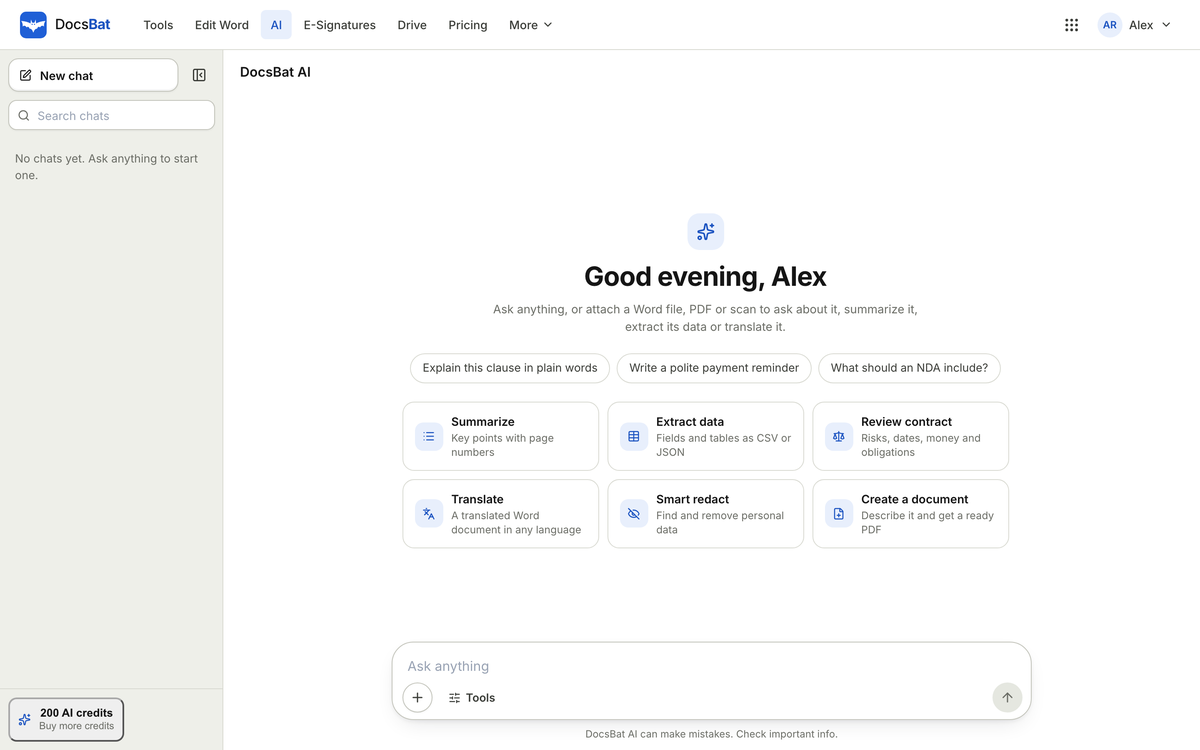
A simple workflow for checking AI answers
Here is a routine that keeps you fast without being careless.
- Start with a summary to get oriented.
- Ask narrow questions about the parts that matter to you: dates, money, obligations, exceptions.
- Open every citation for anything you will act on.
- Ask a follow up if something seems off. "Is there any exception to that on another page?" often surfaces a clause the first answer missed.
- Write your own conclusion. The AI helps you find and understand. The decision is still yours.
Where to slow down
AI is very good at finding and restating text. Be more careful when:
- The document is a poor quality scan. PDFbat can read scans, but blurry pages are harder for any system. If text looks garbled, running OCR first can help; see how to make scanned PDFs searchable.
- The answer depends on something outside the document, such as local law or a related agreement you did not upload.
- The stakes are high. Contract review highlights clauses worth attention, but it does not replace a lawyer for a deal that matters.
What it costs
AI features use credits from your shared OfficeBats wallet. One credit is worth $0.001 of AI usage, so cost depends on the size of the task. A short question about a short document uses far fewer credits than translating a long PDF.
Every plan includes monthly credits that work across all seven apps:
- Free: 300 credits a month
- Pro: 5,000 credits a month
- Business: 20,000 credits a month
Monthly credits are used first. If you run out, you can buy packs ($5 for 5,000, $10 for 12,000, $25 for 32,000), and pack credits never expire. AI features need a signed in account. For a fuller explanation, read AI credits explained, or compare plans on the pricing page.
Privacy: what happens to your documents
People reasonably hesitate before uploading a contract or an HR file to an AI tool. The key points:
- OfficeBats does not use your documents to train AI models.
- OfficeBats does not sell personal information.
- Files are sent over HTTPS and encrypted at rest by the storage provider.
- If you need to share a document after reviewing it, PDFbat's smart redaction can find personal data so you can remove it properly, with the text under the box actually deleted.
The short version
AI help is only as useful as your ability to check it. With page citations, checking is quick.
- Upload a Word file to DocsBat or a PDF to PDFbat.
- Ask specific questions, and open the cited page for anything important.
- Use summaries and drafts as starting points, not final answers.
Start on the Free plan with 300 credits a month, and see how far that goes on the documents you actually work with.