How to write a survey people finish
Write surveys people complete: pick one goal, ask fewer and clearer questions, use the right question types and logic, and act on the answers.
Most surveys fail before anyone opens them. They try to answer every question the team has ever had, so they run to forty questions, and people quietly give up somewhere around question nine. The answers you do get come from the most patient few, which is not the same as the people you wanted to hear from.
A survey people finish is short, focused and easy to answer on a phone. This guide shows how to write one, with practical examples, and how to set it up in FormsBat.
Start with one decision
Before writing a single question, finish this sentence: "After this survey, we will decide..."
- "...whether to add a Saturday class."
- "...which of three menu changes to try first."
- "...what to fix in our onboarding emails."
If you cannot finish the sentence, you are not ready to write the survey. If you finish it three different ways, you probably need three separate, shorter surveys, or you need to pick the one that matters most this month.
Every question should earn its place by helping with that decision. A good test is to imagine the answer coming back. If you would not do anything differently whichever way it went, cut the question.
Write questions that are easy to answer
Clear questions get honest answers. Unclear questions get guesses, or nothing.
Ask one thing at a time
"How satisfied are you with our prices and service?" is two questions. Someone who loves the service and finds it expensive cannot answer it. Split it.
Avoid leading wording
"How much did you enjoy our new menu?" assumes they enjoyed it. "How would you rate our new menu?" lets them tell you.
Use plain words and a clear time frame
"How often do you visit?" is vague. "In the last month, how many times did you visit?" is easy to answer accurately.
Give a way out
If a question might not apply, include "Not applicable" or "I don't know". Forcing an answer produces noise.
Before and after
| Weak question | Stronger version |
|---|---|
| Do you like our app and website? | How easy is it to book a class in our app? |
| Wouldn't evening classes be great? | Which times would you attend? (choose all that apply) |
| How often do you shop with us? | In the last 3 months, how many orders have you placed? |
| Any feedback? | What is one thing we could change to make booking easier? |
Choose the right question type
The question type shapes how quickly people can answer and how easy the results are to use. FormsBat has 28 question types; these are the ones that do most of the work in surveys.
- Multiple choice for one answer from a short list.
- Checkboxes when several answers can be true.
- Rating or linear scale for satisfaction or agreement. Keep the same scale throughout the survey so people do not have to relearn it.
- Yes/no for simple facts.
- Picture choice when the options are visual, such as product designs or room layouts.
- Dropdown for long lists like countries.
- Long text for open feedback. Use it sparingly, one or two per survey, because open answers take effort to write and to read.
Open versus closed questions
Closed questions (choices, ratings) are quick to answer and easy to chart. Open questions tell you why. A good pattern is a closed question followed by an optional open one: "How likely are you to recommend us?" then "What is the main reason for your score?"
Keep it short and well paced
Long surveys lose people, so treat every question as a cost. Some practical rules:
- Cut ruthlessly. Go through your draft and remove anything that is "nice to know".
- Put easy questions first. Start with something quick and relevant, not demographics.
- Group related questions. Use section headings so the survey reads as a few small topics, not one long list.
- Split long surveys into pages. Page breaks with a progress bar show people how far they have come.
- Offer save and resume for longer surveys, such as staff or member surveys, so people can come back later with a link instead of starting over.
Use logic so people skip what does not apply
Conditional logic shows or hides questions and pages based on earlier answers. If someone says they have never used your delivery service, hide the five questions about delivery. Each person sees a shorter survey, and you avoid answers from people guessing about things they have not experienced.
FormsBat supports rules such as "is", "is not", "contains", "greater than", "less than" and "answered", which covers most survey branching.
Test before you send
Never send a survey you have not taken yourself. Better still, ask two or three people outside the project to take it on their phones while you watch, or ask them to note anything confusing.
Look for:
- Questions they had to read twice
- Options that did not include their real answer
- Places they hesitated or went back
- How long it actually took
Then fix and test again. This short step catches more problems than any amount of rereading on your own.
Share it and keep the data clean
Send the survey where your audience already is: a link in an email, an embed on your website, or a QR code on a receipt, table card or poster. If you run a survey in more than one language, FormsBat can translate a form with AI so people can answer in their own language (this uses AI credits).
Two settings help keep results trustworthy:
- One response per person or email prevents the same person answering several times.
- Spam protection (a honeypot, minimum fill time, rate limiting and an optional captcha) keeps bots out of your data.
If you want a deadline, set a close date so the survey stops accepting answers automatically.
Turn answers into decisions
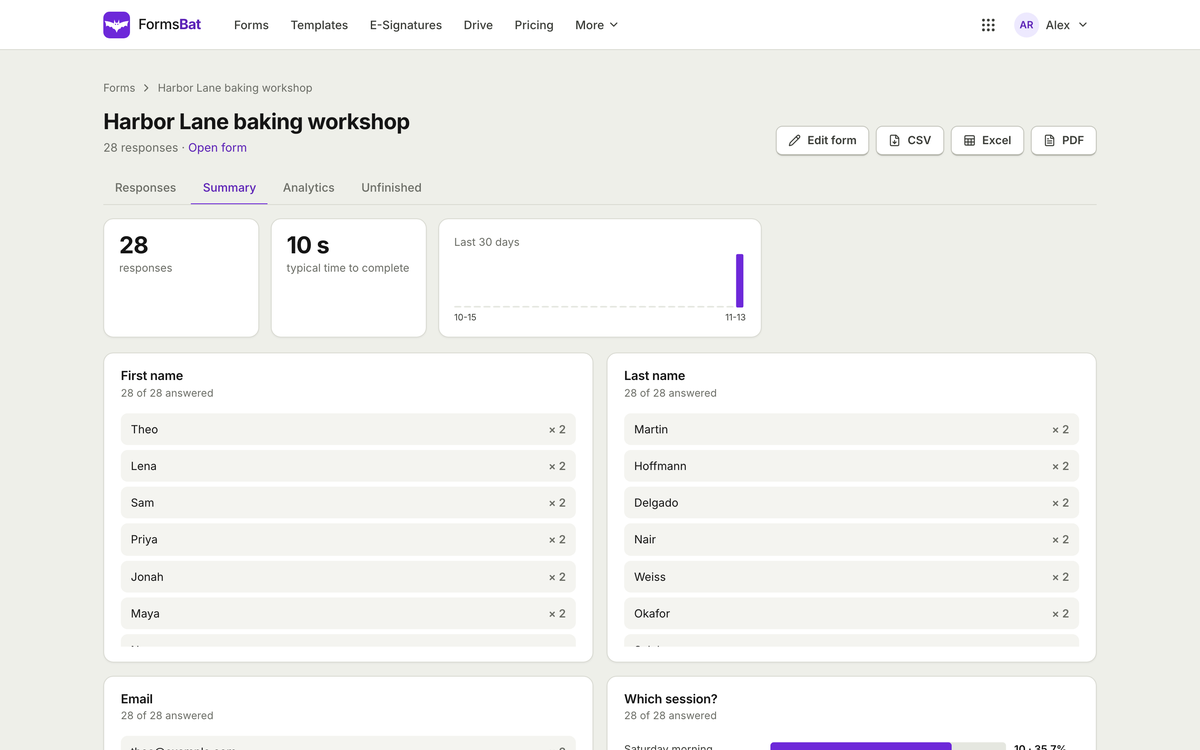
Responses arrive in a searchable table, with charts for each question and a responses per day view. If you asked a "how likely are you to recommend us" question on a 0 to 10 scale, FormsBat calculates the NPS score for you.
For deeper analysis, export to CSV or Excel, or connect the live CSV feed to a spreadsheet so it stays up to date as new answers come in.
Then go back to the sentence you started with. What did you decide? Share the result with the people who took the survey, even briefly. People are more willing to answer the next survey when they can see the last one led somewhere.
Where to start
- Write down the one decision the survey will inform.
- Draft the summary you hope to present, then write only the questions that feed it.
- Build it in FormsBat from one of the 119 templates, or describe it and let AI draft it.
- Test it on a phone with two or three people, then share.
FormsBat includes unlimited forms on every plan, with 1,000 responses a month on Free. See pricing for higher limits, or read how to build a payment form if your next form also needs to take money.