How to write a business proposal in Word with AI
Turn a short brief into an editable Word proposal with AI, then fix the facts, tighten the scope and send it as a PDF. A practical, honest workflow.
A good proposal wins work. Writing one from a blank page takes an evening you do not have, especially when the client wants it tomorrow. AI can get you from a blank page to a structured first draft in a couple of minutes, as long as you give it the right brief and check what comes back.
This guide shows how to write a business proposal in Word with DocsBat: what to put in the brief, how to turn the draft into a proposal you would sign, and what to send the client.
What a business proposal needs
Most service proposals follow the same shape. The client wants to know four things: do you understand the problem, what exactly will you do, when, and for how much.
| Section | What it answers |
|---|---|
| Overview | What the client needs and what the project will achieve |
| Goals | How everyone will know it worked |
| Scope | What is included, and just as important, what is not |
| Timeline | Phases, deliverables and dates |
| Fees | Prices, what they cover and when they are paid |
| What we need from you | Content, access, approvals and deadlines on the client side |
| Next steps | How to accept, and what happens after |
| Signatures | Lines for both sides, or a note that a contract follows |
You can ask the AI for exactly these sections, in this order.
Step one: write a brief the AI can work with
AI writes from what you give it. The more of your real details are in the brief, the less you have to fix afterwards. Before you start, collect:
- Who it is from and to: your business name and the client's.
- The project in one sentence: for example, a five page website with online ordering for pickup.
- Scope details: pages, deliverables, number of revision rounds, what you will not do.
- Dates: start date, length of each phase, launch date.
- Prices: each line and its amount, and the currency.
- Anything specific to this client: what they told you about their problem.
Here is a brief that works well:
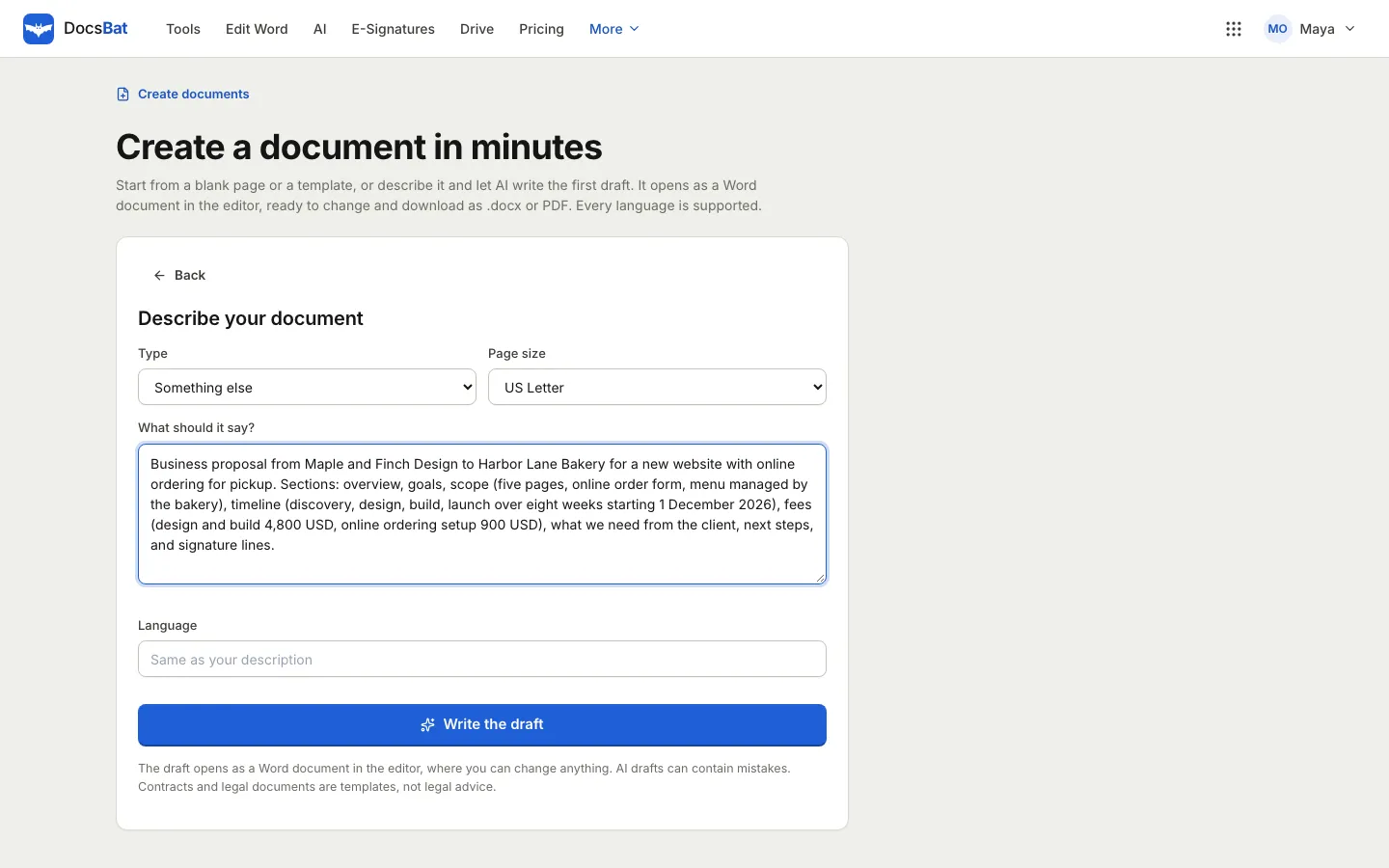
Business proposal from Maple and Finch Design to Harbor Lane Bakery for a new website with online ordering for pickup. Sections: overview, goals, scope (five pages, online order form, menu managed by the bakery), timeline (discovery, design, build, launch over eight weeks starting 1 December 2026), fees (design and build 4,800 USD, online ordering setup 900 USD), what we need from the client, next steps, and signature lines.
Compare it with "write a website proposal". The second gives the AI nothing to work with, so it fills the gaps with generic text you will have to delete.
Step two: create the draft in DocsBat
- Open DocsBat and choose Create a document, or go to the Create page.
- Under Choose a design, leave Auto or pick Classic, Modern, Minimal, Elegant or Bold.
- Choose Create with AI.
- Set Type to Something else and pick the Page size: A4 or US Letter.
- Paste your brief into What should it say?
- Leave Language empty to write in the language of your brief, or name another language.
- Select Write the draft.
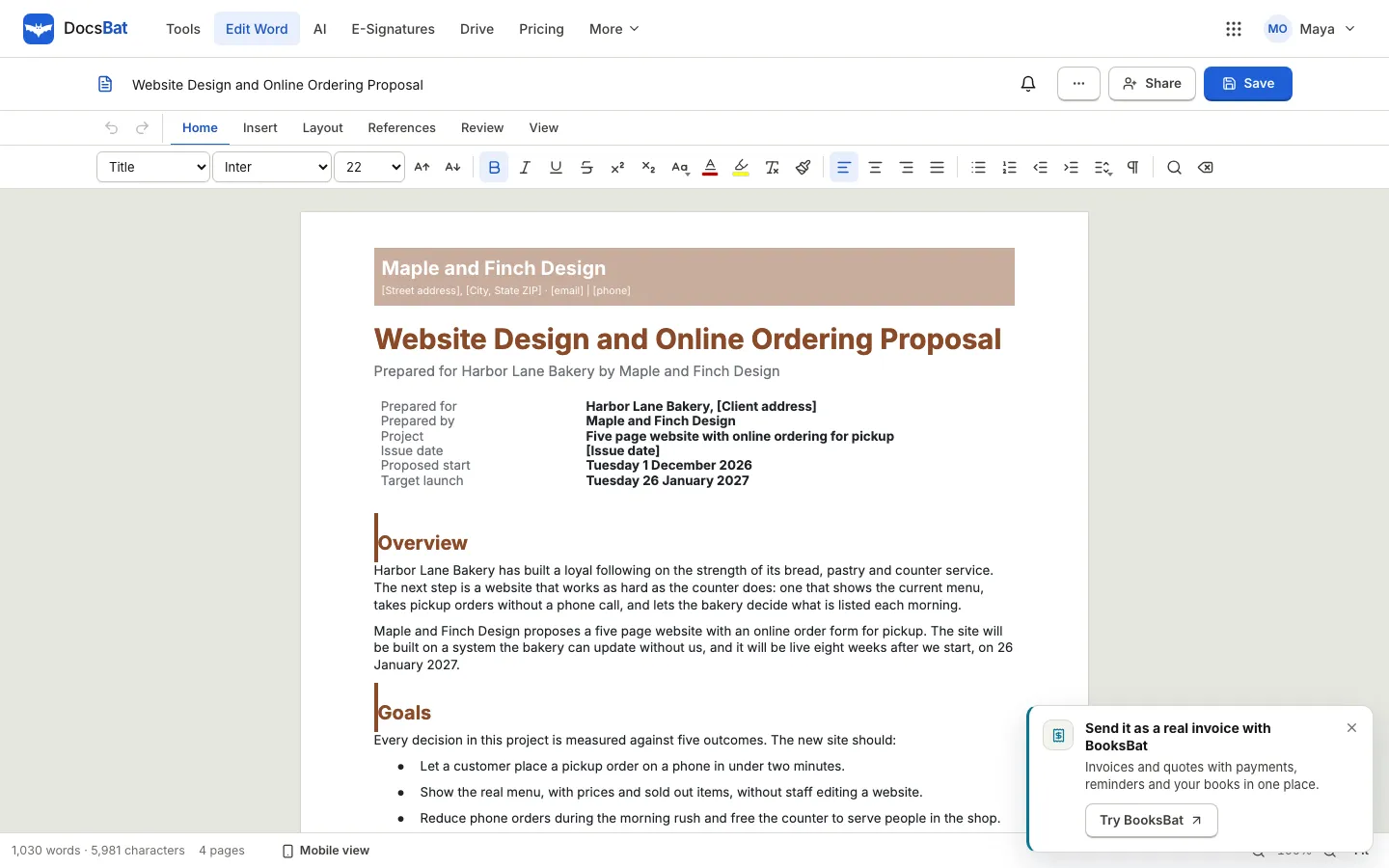
After a short wait, the draft opens as a Word document in the DocsBat editor, with your sections, headings, tables and signature lines laid out in the design you chose.
Step three: turn the draft into your proposal
The draft is a starting point. Treat it the way you would treat a first draft from a new colleague: useful structure, facts to check.
Fill the placeholders
Details the brief did not give are usually left in square brackets, such as [Client address] or [Issue date]. Use Find on the Home tab to search for a bracket and fill each one. Nothing in square brackets should reach the client.
Check every fact and number
Read the fees, dates and scope against your brief, line by line. Then look for claims you did not make. AI drafts can add confident sounding promises, like how fast a customer will complete an order or a percentage improvement. Delete anything you cannot stand behind, or replace it with something you can measure.
Tighten the scope
Scope is where projects go wrong. Make the included list specific and add a short "not included" list: content writing, photography, hosting, ongoing support, extra revision rounds. It costs one paragraph and saves arguments later.
Make it sound like you
Read the overview aloud. If it does not sound like something you would say to this client, rewrite it in your own words. Keep the structure, change the voice.
Step four: finish and format
The editor has what you need to finish a proposal properly:
- Styles on the Home tab keep headings consistent. Use Heading 1 for sections.
- Insert adds tables, pictures such as your logo, page breaks, a header and a footer.
- Layout sets paper size, orientation and margins.
- References adds a table of contents for longer proposals. See add a table of contents to a Word document online.
- Review has word count and spelling.
Save it as .docx to your Drive so you can reuse it as the starting point for the next proposal.
Step five: send it
How you send depends on what happens next:
- For review: share the document with a colleague so they can comment or co-edit before it goes out. Co-editing a Word document in real time explains how.
- To the client: download it as PDF from the File menu so the layout is fixed on every device. Our guide on Word to PDF without breaking your formatting has a checklist.
- For acceptance: send the PDF for e-signature from PDFbat, so the client signs online and you both get a sealed copy.
- With a quote: if you send quotes from BooksBat, attach the matching quote so the numbers turn into an invoice when the client accepts.
Prefer a template?
If you would rather start from a fixed structure without AI, the Create page has a Project proposal template: overview, goals, scope, a timeline table and a budget. Choose it under Or start from a template. You fill in the bracketed parts yourself, and it costs no AI credits.
What it costs
Create with AI uses credits from your OfficeBats AI wallet, which all Bats apps share. New accounts get 2,500 welcome credits when they confirm their email. Templates, the editor and the Word tools do not use AI credits.
Frequently asked questions
Can AI write a whole business proposal?
It can write a structured first draft from your brief, including sections, tables and signature lines. You still need to fill the placeholders, check every fact and price, and make the wording your own.
Will the proposal be a real Word file?
Yes. The draft opens as a Word document in the DocsBat editor, and you can save it as .docx or download it as PDF.
Can I write the proposal in another language?
Yes. Type the language in the Language field, or write your brief in that language and leave the field empty.
Does AI make things up in proposals?
It can. Details missing from the brief are usually left as bracketed placeholders, but drafts can still include claims or figures you did not give. Read the draft against your brief and delete anything you cannot support.
Do I need a paid plan to use Create with AI?
Create with AI needs an OfficeBats account and uses AI credits from your wallet. Your welcome credits are enough to try it, and you can top up when you need more.